

You’re a marketing manager for a national retail chain with 150 stores. A new seasonal promotion is launching next week. Your task? Update every single Google Business Profile (GBP) with a new “Offer” post, a fresh set of product photos, and an announcement about the upcoming sale.
You grab a coffee, open the first GBP location, and start uploading. One down, 149 to go. The next eight hours are a blur of copy-pasting, uploading, and checking boxes. By the end, you’re not sure if every location got the right update. It’s a logistical nightmare, and you have to do it all over again next month.
If this scenario feels painfully familiar, you’re not alone. But what if you could orchestrate that entire campaign in under 30 minutes, ensuring every single location is perfectly synchronized yet uniquely localized?
This isn’t a futuristic dream; it’s the reality of automated GBP management. It’s time to stop thinking of GBP as a series of individual listings and start treating it as a dynamic, scalable marketing channel.
Why Your Static GBP Listings Are a Missed Opportunity
A Google Business Profile is far more than a digital yellow pages entry. It’s often the very first interaction a potential customer has with your local business.
The data paints a clear picture: Google is the undisputed king of local discovery. It commands 73% of all online reviews, making it the primary hub for social proof. But visibility alone doesn’t guarantee business.
Research shows that while 49% of businesses on GBP get more than 1,000 views per month, a staggering 49% also receive fewer than 100 calls from their profile.
This reveals a critical “visibility-to-conversion gap.” You have the eyeballs, but are you giving them a reason to act?
Active, engaging content is the bridge. Listings with fresh photos are twice as likely to be considered reputable and get 35% more clicks. Every Post, Offer, and Product you add increases the chance of turning a passive viewer into an active lead.
And every bit of engagement matters: a full 5% of listing views result in a website click, call, or direction request. When you consider that 75% of local mobile searches lead to a store visit within 24 hours, the ROI of an active GBP strategy becomes undeniable.
For multi-location brands, the challenge is clear: how do you replicate this success across dozens or hundreds of locations without hiring an army of marketers?
The Multi-Location Nightmare: When Manual Management Breaks Down
Managing one or two GBP locations manually is doable. Managing 100 is a recipe for inconsistency, burnout, and missed opportunities.
The common challenges include:
- Massive Time Sink: The sheer man-hours required to update each profile individually are astronomical.
- Brand Inconsistency: Different team members or franchise owners might use slightly different branding, messaging, or image styles, diluting the brand’s identity.
- Lack of Localization: In an effort to save time, brands often resort to generic, one-size-fits-all posts that fail to resonate with local audiences.
- Error-Prone Processes: Manual data entry across hundreds of listings inevitably leads to typos, incorrect information, and broken links.
These issues prevent businesses from harnessing the true power of their local presence. The solution lies in building a system—an automation workflow that handles the execution so you can focus on strategy.
The Automation Workflow: From Spreadsheet to Scalable Success
At its core, automating GBP management means connecting a central source of information to all your individual GBP listings through an intermediary tool that speaks Google’s language.
Think of it like a mail merge, but for your entire local marketing ecosystem.
Here’s a simplified breakdown of the workflow:
-
Create a Centralized Content Hub: This is your single source of truth. It can be as simple as a Google Sheet or as robust as a database. Each row might represent a location, and columns would contain both static information (Address, Phone Number) and dynamic content (Weekly Offer, Post Image URL, Product Name).
-
Develop Dynamic Content Templates: You’ll create master templates for your GBP Posts or Product descriptions. These templates use placeholders (e.g., [StoreCity], [ManagerName], [LocalOffer]) that will be populated with data from your content hub.
-
Connect the Dots with an Automation Engine: This is where the magic happens. Using the official Google Business Profile API and a third-party automation tool (like Zapier, Make.com, or a custom script), you create a workflow that reads a row from your content hub, fills your content template with that data, and pushes the finished, customized post or product to its corresponding GBP location.
-
Schedule and Execute: You can set this workflow to run on a schedule—daily, weekly, or for a specific campaign launch. The system automatically cycles through every location in your hub, pushing out perfectly tailored content without any manual intervention.
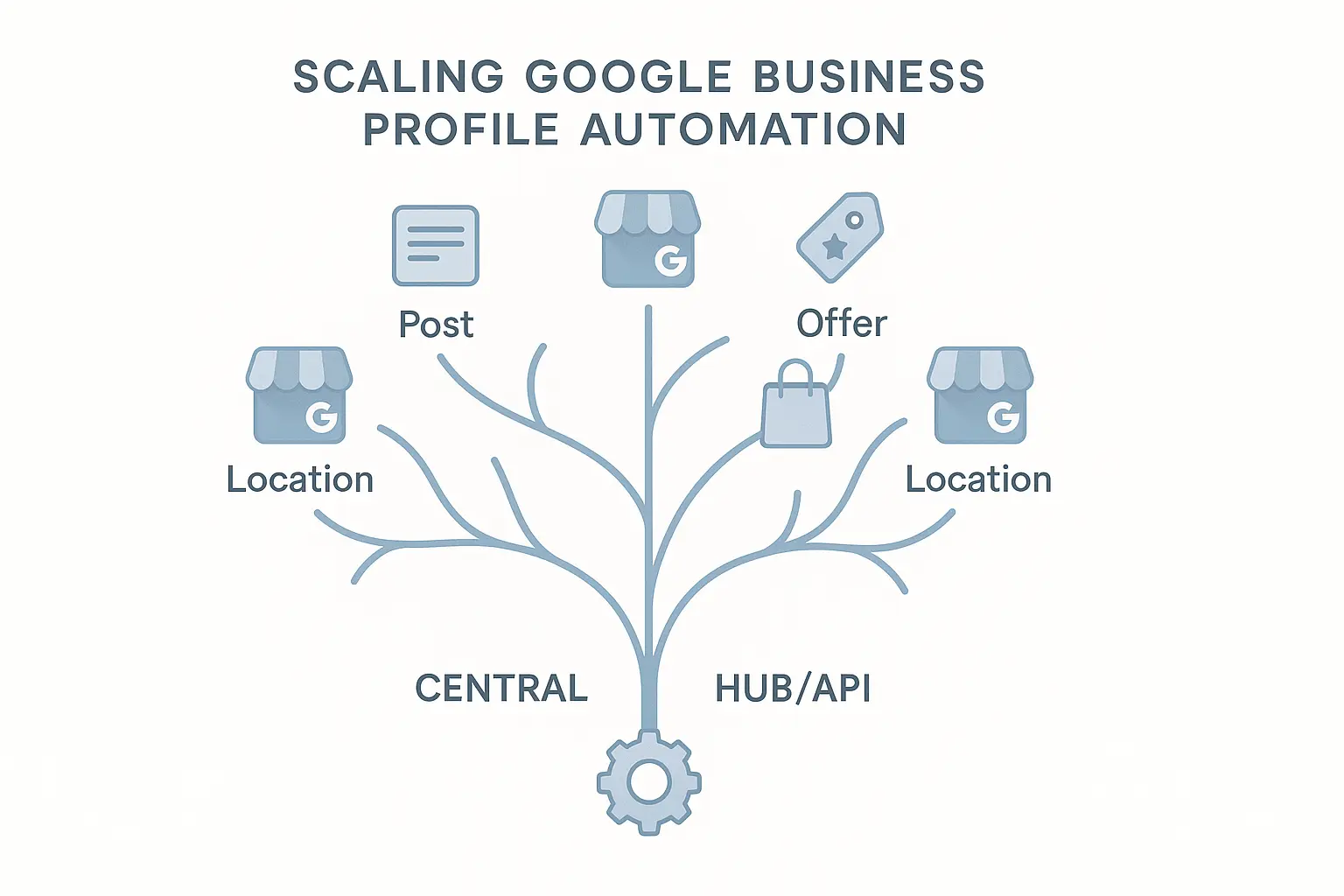
This approach transforms a grueling, multi-day task into a streamlined, “set it and forget it” process. But before you scale any campaign, it’s crucial that each location has a solid foundation. A thorough SEO audit service for each profile ensures you’re building on optimized listings, not flawed ones.
What Can You Automate with This Workflow?
This system isn’t just for simple text posts. You can manage nearly every dynamic aspect of your GBP listings:
- GBP Posts (Events, Offers, What’s New): Schedule a nationwide holiday sale announcement, with each post customized to say, “Join us for our Black Friday event here in [StoreCity]!”
- Product Listings: Add a new product to your catalog across all 100+ stores simultaneously, complete with pricing, descriptions, and photos.
- Q&A Seeding: Proactively answer common customer questions by automatically posting a question and its corresponding answer to all relevant locations.
- Photo Updates: Systematically upload new, high-quality photos of your storefronts, products, or team members to keep profiles fresh and engaging.
The true power of this system is achieving hyper-localization at scale. You can maintain perfect brand consistency while still making each location feel personal and relevant to its community. It’s the core principle behind effective local SEO services: combining broad strategy with targeted, local execution.
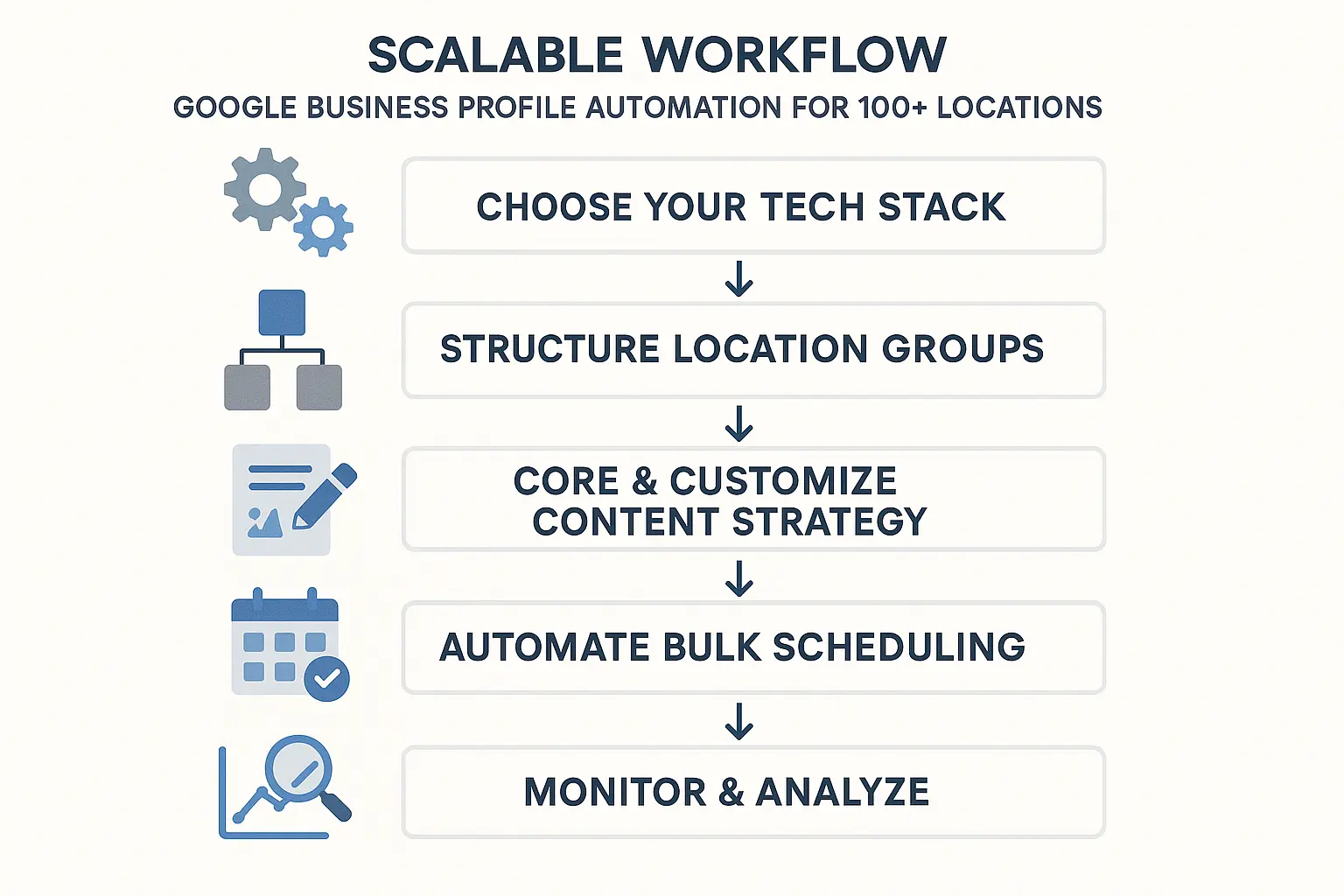
For agencies, this level of efficiency is a game-changer. Instead of billing clients for hours of manual labor, you can provide a highly sophisticated and scalable service. It’s why partnering for white-label SEO for agencies can be such a powerful growth lever, allowing you to deliver advanced solutions without building the entire infrastructure from scratch.
Frequently Asked Questions (FAQ)
What is the Google Business Profile API?
The API (Application Programming Interface) is a set of rules and tools that allows different software programs to communicate with each other. The GBP API lets developers and third-party tools programmatically manage profile information, post updates, and pull insights without having to log in to the GBP dashboard manually.
Do I need to be a developer to set this up?
Not necessarily. No-code automation platforms like Zapier or Make.com have built-in integrations that allow you to connect Google Sheets directly to the Google Business Profile API through a visual, drag-and-drop interface. For more complex or custom needs, a developer might be required.
Are third-party tools safe to use with my Google Business Profile?
Yes, as long as you use reputable tools that are authorized by Google. These platforms use a secure authentication method (OAuth 2.0) that grants them permission to manage your profiles without you ever having to share your Google password.
How is this different from the native scheduling feature in GBP?
The native scheduling feature is great for a single location. However, it doesn’t allow you to customize and schedule content in bulk across multiple locations from a single dashboard. An automation workflow is designed specifically for multi-location scale.
Can I customize images for each location?
Absolutely. In your central content hub (like a Google Sheet), you can have a column that contains a unique URL for the image you want to use for each specific location. The automation tool will pull that unique URL for each post it creates.
From Manual Labor to Marketing Momentum
Managing a multi-location brand’s local presence doesn’t have to be a Sisyphean task. By moving away from manual updates and embracing an automated workflow, you can transform your Google Business Profiles from static contact cards into a network of active, localized, and high-performing marketing channels.
This shift frees up your team to focus on what truly matters: crafting compelling campaigns, analyzing performance, and driving real business growth. You stop being a content uploader and become a strategic orchestrator.
Ready to explore how a systematic, scalable approach can redefine what’s possible for your or your clients’ local SEO? It begins with understanding your current foundation and identifying opportunities for a smarter, more automated future.

