

Imagine this: your client, a popular local bank, has just opened a new branch inside a bustling supermarket. It’s a fantastic move for foot traffic but a potential nightmare for their online visibility. How do you make sure customers searching for “banks near me” find their branch, and not just the grocery store housing it?
This is the classic ‘store-within-a-store’ dilemma, a common and surprisingly tricky challenge in local SEO. Get it wrong, and you’re not just invisible—you’re actively confusing potential customers. In fact, a recent study revealed that nearly 40% of consumers have trouble finding correct location information online, leading to frustrated customers and lost sales.
For co-located businesses, that number is likely even higher. But with the right strategy, you can turn this complex situation into a competitive advantage.
Why ‘Store-Within-a-Store’ SEO is So Tricky
At its core, local SEO runs on consistency. Search engines like Google want to see the same Name, Address, and Phone number (NAP) for a business everywhere it appears online. This builds trust and helps them confidently recommend that business to searchers.
A store-within-a-store breaks this model. You have two distinct businesses sharing a single physical address, which sends mixed signals to Google and creates several major problems:
-
Address Confusion: Does the address belong to the host store or the business inside? Google’s algorithm can struggle to differentiate, potentially merging listings or showing incorrect information.
-
NAP Inconsistency: Without a clear strategy, your client’s business information can get diluted or overwritten by the larger host store’s data. Businesses with inconsistent NAP information across their citations are 71% less likely to rank in Google’s local pack.
-
Customer Experience Issues: A customer looking for the bank might be directed to the supermarket’s main entrance, leading to confusion and frustration before they even walk in the door.

Think of it like mail delivery. If two different families live at the same street address without a unit number, letters are bound to get lost. In the world of SEO, lost letters mean lost customers.
Getting the Foundation Right: Google Business Profile (GBP) Setup
Your Google Business Profile is the cornerstone of your local SEO strategy. For a co-located brand, setting it up correctly is non-negotiable.
To List or Not to List? Google’s Golden Rule
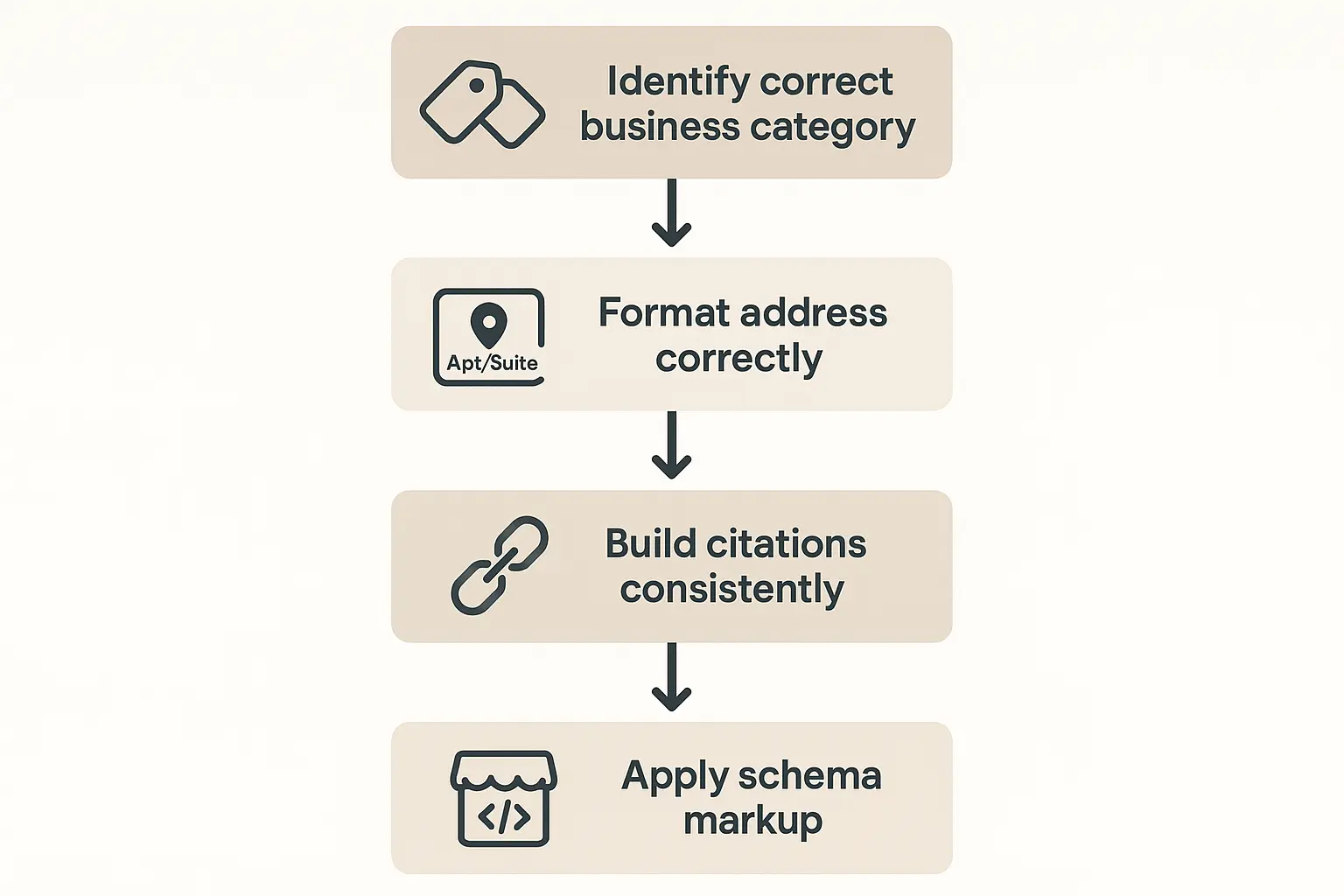
Before you do anything, you need to determine if the business even qualifies for its own GBP listing. This is a common point of failure. According to Google’s guidelines, a business located within another business must have its own separate entrance and distinct signage to qualify for a separate Google Business Profile.
-
Qualifies: A coffee shop inside a bookstore with its own marked entrance and sign. A bank branch inside a Walmart that has its own distinct space and branding.
-
Doesn’t Qualify: A makeup counter inside a department store (this is a department, not a separate business). A branded food stall inside a food court without its own separate entrance from the outside.
If your client doesn’t meet these criteria, they should be listed as a “department” within the host store’s GBP listing, not as a separate entity. Forcing a separate listing that violates guidelines is a short-term trick that often leads to profile suspensions.
Nailing the Address Format
If the business qualifies, the address is the next critical piece. You cannot simply use the host store’s address. You must modify it to create a unique location signal.
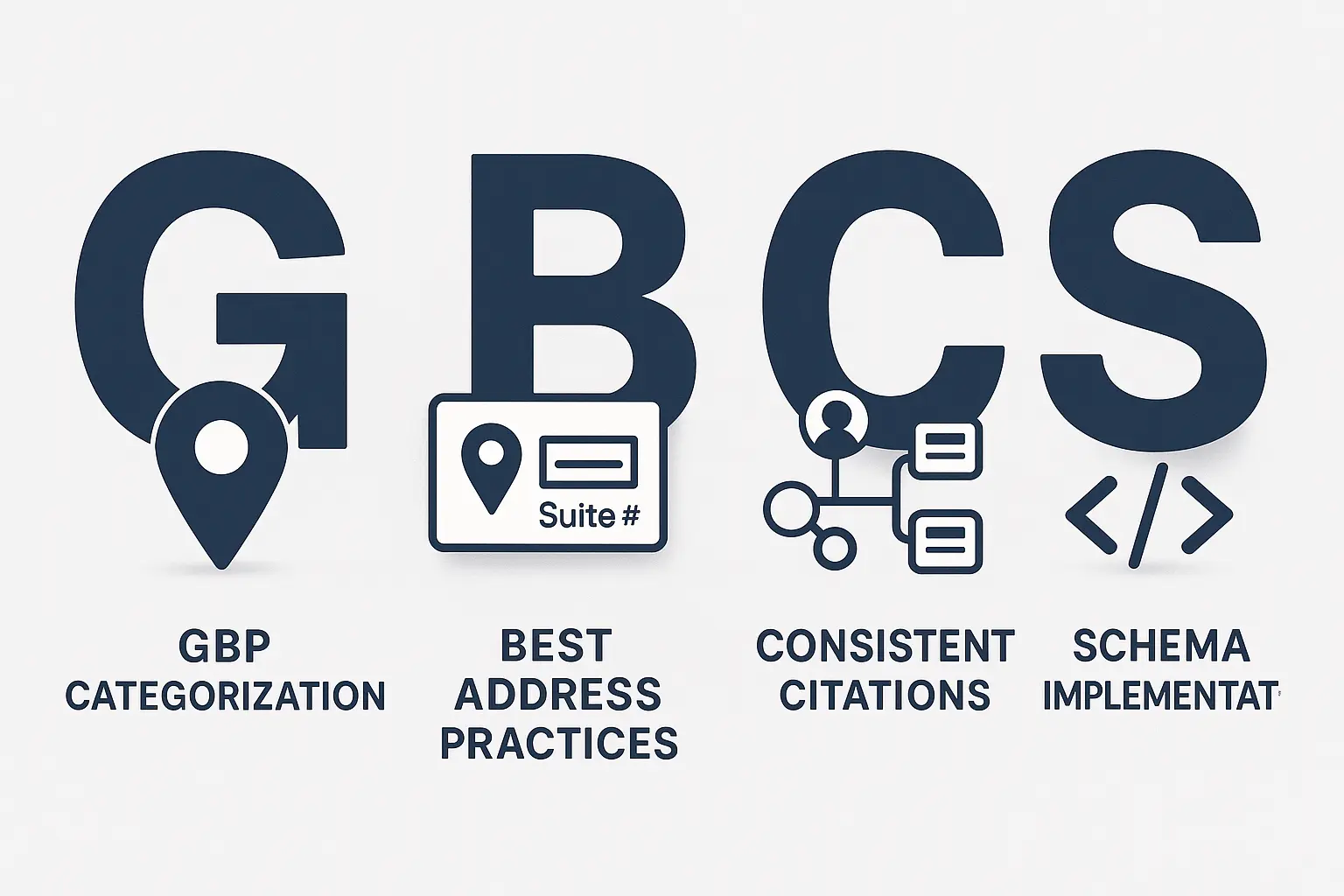
The best practice is to use the host store’s address and add a unique suite number. Even if a physical suite number doesn’t exist, you can create one for mailing and citation purposes (e.g., “Suite B,” “Unit 102”).
Here’s how to format it within your GBP dashboard:
- Enter the host store’s street address in ‘Address Line 1’.
- Add your unique identifier (e.g., “Ste 100”) in ‘Address Line 2’.
This creates a distinct, machine-readable address that Google can differentiate from the host store.
Choosing the Right Category
This might seem obvious, but it’s a frequent mistake. The primary category for the store-within-a-store must be its own category, not the host’s.
-
Correct: The bank branch inside the supermarket should have “Bank” as its primary category.
-
Incorrect: Using “Supermarket” as the primary category because that’s where it’s located.
Secondary categories can then be used to add more context (e.g., “Financial Institution,” “Mortgage Lender”).
Building Authority: Citations and On-Page Signals
Once your GBP is set up correctly, you need to build consistent signals across the web to reinforce its legitimacy.
The Citation Consistency Conundrum
Citations are mentions of your business’s NAP on other websites, like Yelp, Apple Maps, and industry-specific directories. For a co-located brand, every single citation must use the exact same unique address format you established in your GBP.
This means manually checking and updating dozens, if not hundreds, of listings. A single inconsistency can dilute your authority and confuse search engines. This is where using automated citation management platforms becomes essential for ensuring accuracy at scale and preventing data from reverting to the host store’s address.
On-Page SEO for Co-Located Businesses
Your client’s website must also reflect this unique location information. Don’t just list the city on a generic “locations” page. Create a dedicated, optimized location page for the store-within-a-store.
This page must include:
-
The unique Name, Address (with the suite number), and Phone number, marked up with schema.
-
Content specific to that location (e.g., “Find our branch next to the floral department in the Main Street Supermarket”).
-
An embedded Google Map pointing to the correct, specific GBP listing.
-
Photos of the storefront, showing its distinct entrance and signage.
Advanced Tactics: Using Schema to Clarify Your Identity
If you really want to give Google a crystal-clear signal, you need to speak its language. Schema markup is a type of code you add to your website that explicitly tells search engines what your content is about.
For a store-within-a-store, the department property within the LocalBusiness schema is incredibly powerful. This code essentially tells Google: “We are our own business, located at this unique address, and we are a department within this other, larger business.”
Research has shown that implementing specific local business schema, such as the department property, can increase local search visibility by up to 30% for co-located businesses. It removes all ambiguity for search engines.
Frequently Asked Questions (FAQ)
What if my business doesn’t have a separate entrance?
According to Google’s guidelines, you likely do not qualify for a separate Google Business Profile. The best approach is to work with the host business to have your services featured prominently in their GBP listing, such as through their services or a detailed description.
Can I use a different phone number than the host store?
Yes, and you absolutely should! A unique phone number is a critical part of your unique NAP. It’s one of the strongest signals you can provide to Google that you are a separate entity.
How do I handle reviews for my store vs. the host store?
Encourage customers to leave reviews directly on your own GBP listing and provide them with a direct link. It’s also wise to monitor the host store’s reviews for any mentions of your business—good or bad—and respond where appropriate to show you’re engaged.
Putting It All Together for Your Clients
The store-within-a-store SEO challenge is complex, but it’s entirely solvable with a meticulous and consistent approach. By establishing a unique identity through your GBP, building laser-focused citations, and using advanced schema, you can help your client’s business stand out, even when it’s located inside another.
Solving these nuanced issues is what a comprehensive local SEO strategy is all about. It requires a deep understanding of Google’s guidelines and a precise execution plan to make sure every signal sent to search engines is clear and consistent.
If you’re an agency looking to deliver these kinds of expert results for your clients without the complexity of building a specialized team in-house, consider partnering with an expert. Getting these details right can be the difference between being found and being frustrated.
