

You’ve done everything right. You’ve implemented basic Product schema for your e-commerce client, checked it twice, and waited. Yet, when you search for their top products, you see competitors showing up with star ratings, price ranges, and “In Stock” labels glowing right there in the search results.
It feels like they have a secret handshake with Google that you’re not privy to.
That “secret” isn’t a handshake—it’s a smarter, more connected way of communicating with search engines. It’s about telling a complete story, not just sharing a few facts. Nesting your schema markup is how you transform a simple product listing into a rich, click-worthy result that stands out on a crowded digital shelf.
What is Schema Markup, Really? A Cheat Sheet for Search Engines
Imagine handing a new friend a novel and asking for their opinion. They could read the whole book, or you could give them a one-page summary with character bios, plot points, and key themes. The summary doesn’t replace the book, but it helps them understand it much faster and more deeply.
Schema markup is that summary for search engines.
It’s a form of structured data you add to your website’s code to tell search engines exactly what your content is about. Instead of Google just “reading” the words “Nike Air Max” and “$120,” you can use schema to say, “This is a Product named ‘Nike Air Max,’ and its Offer is a price of ‘$120’.”
While that’s foundational, the real power comes from connecting the dots. Google’s entire mission is shifting to understand “things, not strings”—it wants to understand entities and the relationships between them. Simply having separate Product, Offer, and Review schemas is like handing Google three disconnected index cards. Nesting them is like handing Google a complete, organized file.
The Power of Connection: Why Nesting Is a Game-Changer
Nesting schema means structuring your data so that related items are logically connected within a single parent item. For an e-commerce page, your Product is the parent. The Offer (price, availability) and Review (ratings) are children of that product.
Why does this matter so much? Because context is everything.
A price isn’t just a number; it’s the price of this specific product. A five-star rating isn’t just a score; it’s a rating for this specific product. Nesting creates these crucial relationships, giving Google a crystal-clear picture that it can then confidently display as rich results in the SERPs.
And those rich results are incredibly powerful. Research shows they can increase click-through rates (CTR) by up to 58 percent, because it’s not just about visibility—it’s about earning the click.
A search result with pricing, availability, and reviews answers key questions before a user even visits the page, building immediate trust. When someone sees that a product has a 4.8-star rating from 500 reviews directly in the SERP, they are far more likely to click. This transparency taps directly into a core consumer need: 81 percent of consumers say they need to trust a brand to buy from them. By providing helpful information upfront, you start building that trust before they even land on your client’s site.
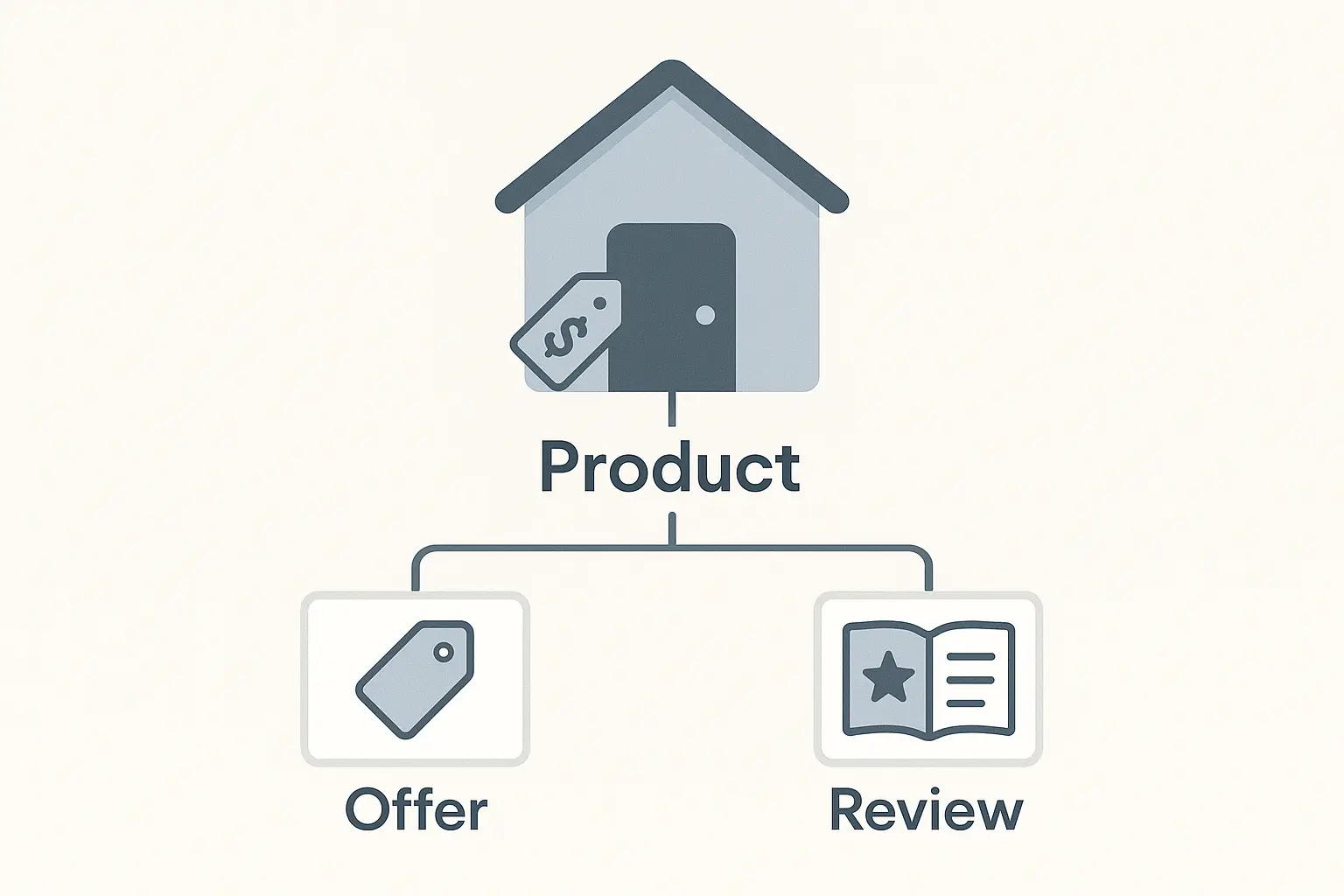
A Practical Look: Structuring Your Nested Schema
The most common and Google-recommended format for schema is JSON-LD. It’s a script you place in the head or body of your HTML. While the code can look intimidating, the logic is straightforward.
Here’s a simplified example of what nested Product, Offer, and AggregateRating schema looks like:
{ "@context": "https://schema.org/", "@type": "Product", "name": "The Agency Growth Playbook", "image": "https://example.com/playbook.jpg", "description": "A must-have guide for scaling your agency's services.", "offers": { "@type": "Offer", "priceCurrency": "USD", "price": "49.99", "availability": "https://schema.org/InStock", "seller": { "@type": "Organization", "name": "Growth Publishers" } }, "aggregateRating": { "@type": "AggregateRating", "ratingValue": "4.9", "reviewCount": "187" }}A quick breakdown:
-
@type: “Product”: This is the parent container. Everything inside these curly braces describes the product.
-
“offers”: { … }: Instead of being a separate piece of code, the Offer information is nested inside the Product schema under the offers property. We’re telling Google this offer belongs to this product.
-
“aggregateRating”: { … }: Similarly, the AggregateRating is nested inside the Product, clearly linking the 4.9-star rating to “The Agency Growth Playbook.”
This connected structure is the key to unlocking the most valuable rich snippets. Providing this complete picture isn’t just a technical fix; it’s a direct contribution to comprehensive e-commerce SEO strategies that drive real results beyond just rankings.
Common Pitfalls and How to Avoid Them
Implementing advanced schema isn’t without its traps. Getting it wrong can lead to manual penalties or, more commonly, Google simply ignoring your markup.
Watch for these common mistakes:
-
Mismatched Content: The price in your schema says $49.99, but the price on the page is $59.99. This is a major red flag for Google and erodes user trust. All schema data must accurately reflect the content visible to the user.
-
Incomplete Information: Don’t just add the price. Include priceCurrency, availability (InStock, OutOfStock), and other relevant properties. Google’s own documentation emphasizes providing complete and accurate data to be eligible for rich results.
-
Forgetting to Validate: Never publish schema without testing it. Use tools like Google’s Rich Results Test and the Schema Markup Validator to check for errors or warnings. A small syntax error can invalidate the entire structure.
The Bigger Picture: Schema’s Role in an Omnichannel World
Effective schema markup isn’t just an isolated SEO task—it’s a critical component of a modern, omnichannel marketing strategy. The structured data you create for organic search can and should be consistent with the data you use for Google Merchant Center, Facebook Catalogs, and other platforms.
This consistency creates a seamless brand experience. When a customer sees the same price, product details, and reviews on a Google search, a Shopping ad, and a social media post, it reinforces brand credibility and simplifies their purchasing journey.
Implementing and managing this level of detail across dozens or hundreds of clients can be a significant operational challenge. It requires a high degree of technical precision and continuous monitoring, which is why many agencies choose to partner with specialized white-label SEO services to execute these advanced tactics at scale, allowing their teams to focus on strategy and client relationships.
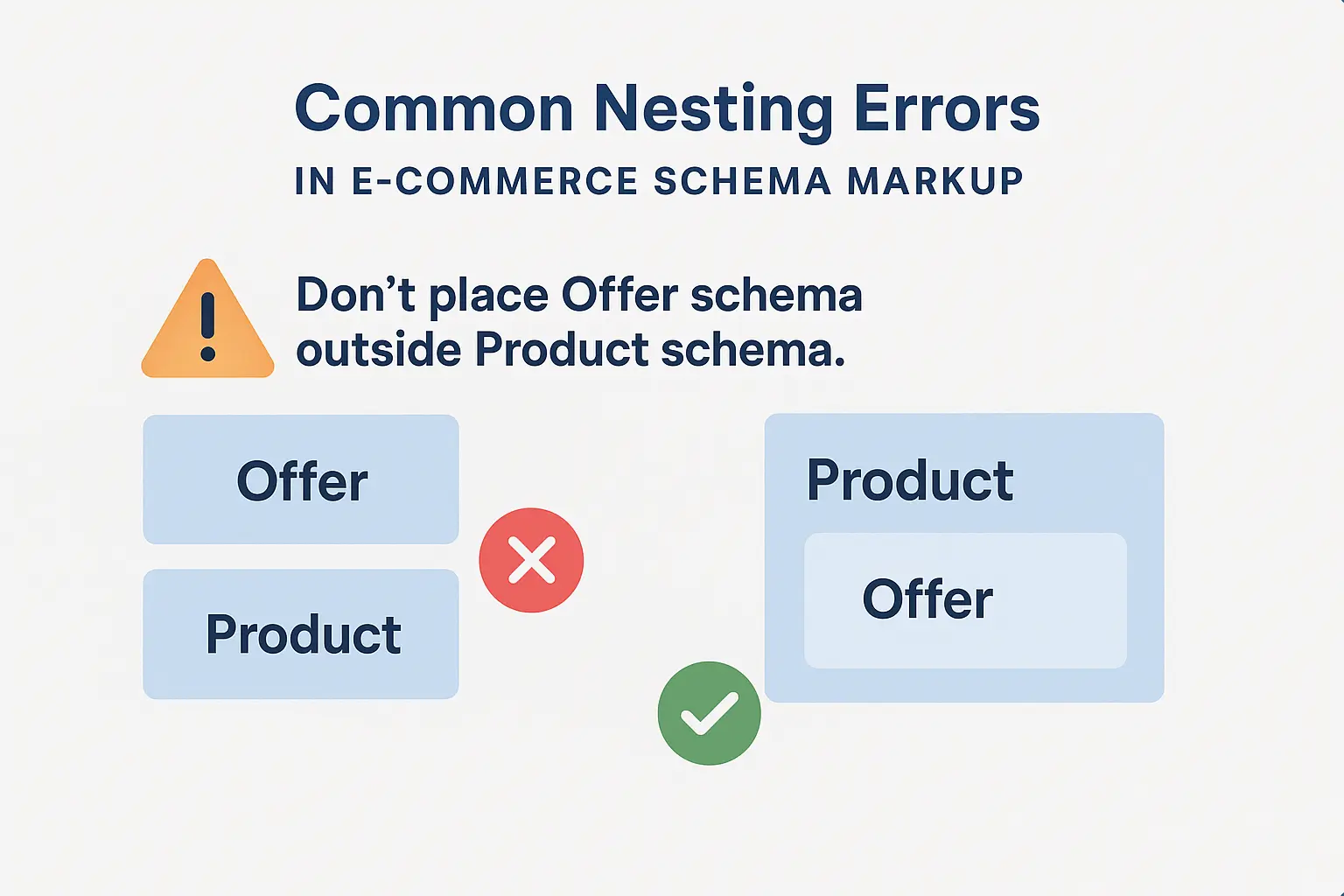
Frequently Asked Questions (FAQ)
What’s the difference between JSON-LD, Microdata, and RDFa?
JSON-LD is a JavaScript-based notation and Google’s recommended format. It’s generally easier to implement and manage because it can be placed as a single block of code in the page’s head, separate from the body HTML. Microdata and RDFa are embedded directly into the HTML elements, which can make them more complicated to maintain.
Does getting a rich result guarantee a number 1 ranking?
No. Rich results are an enhancement to search listings, not a direct ranking factor. However, by increasing visibility, CTR, and user trust, they can indirectly contribute to improved rankings over time. Think of them as a powerful tool for winning the click on the SERP.
How long does it take for Google to show my rich results?
It varies. After you’ve implemented and validated your schema, Google needs to recrawl and reindex the page. This can take anywhere from a few days to several weeks. There is also no guarantee that Google will show a rich result, even if your markup is perfect.
My e-commerce platform (like Shopify or BigCommerce) has built-in schema. Is that enough?
Often, the default schema provided by platforms is very basic. It might cover the Product type but fail to properly nest Offer and Review data or miss key properties. Using apps or custom development is often necessary to implement the advanced, nested structure discussed here.
Can I nest more than just Offer and Review?
Absolutely. You can nest other schema types like Brand, BreadcrumbList, and even VideoObject if you have a product video on the page. The goal is always to provide as much clear, connected context as possible.
From Code to Clicks: Your Next Step
Moving beyond basic schema is no longer optional for competitive e-commerce sites—it’s essential. By nesting Product, Offer, and Review schemas, you’re not just optimizing a webpage; you’re providing a structured, trustworthy, and compelling answer to a user’s query directly within the SERPs.
This detailed communication with search engines is what separates standard listings from results that capture attention and drive qualified traffic. Mastering these advanced tactics is a powerful way to deliver a visible edge for your clients.
Ready to implement strategies like this across your entire client portfolio? It might be time to explore how you can scale your agency’s SEO delivery and turn technical complexity into a competitive advantage.
