

Imagine this: You’re a real estate brokerage with thriving offices in Austin, Dallas, and Houston. Your agents are killing it, but when you Google “real estate agent in Texas,” your Austin office shows up. Then a client in Dallas searches for a local agent and finds your Houston branch instead. It’s chaotic, messy, and worst of all, your offices are accidentally stealing business from each other.
This isn’t just a hypothetical nightmare; it’s a common reality for franchises and multi-office brokerages. When each location operates as an island, your digital marketing efforts can turn into a confusing tangle that hurts everyone.
The good news? There’s a strategic way to turn that internal competition into collective dominance. It starts with understanding that multi-location SEO isn’t just regular SEO multiplied by the number of offices you have. It’s an entirely different game.
Why Every Office Is Its Own Local Business
In the world of SEO, proximity is king. Research from Uberall found that a staggering 82% of consumers use local search to find businesses ‘near me.’ For a real estate brokerage, this means your potential clients aren’t just searching for “real estate company”; they’re searching for “realtor near me,” “homes for sale in My Neighborhood,” or “best real estate agent in My City.”
This local intent has a direct, tangible impact. Google’s own data shows that 76% of people who search for something nearby on their smartphone visit a related business within a day. Your online presence for each office isn’t just a digital brochure; it’s a direct pipeline to new client meetings and property viewings.
The challenge is managing this at scale. How do you ensure your Dallas office appears for Dallas searches and your Austin office appears for Austin searches, all while building the authority of your parent brand? The answer lies in a centralized structure built on two core pillars: Google Business Profiles and dedicated location pages.
Pillar 1: Your Digital Foundation – Google Business Profile (GBP) Hierarchy
Think of your parent brokerage as the main headquarters and each office as a distinct, official branch. In the digital world, Google Business Profile (formerly Google My Business) allows you to create this exact structure.
It’s not enough to have one GBP for your entire brand. Each physical office needs its own unique, fully optimized profile. This is non-negotiable.
Here’s the ideal setup:
- Create a “Location Group” (or Business Group): This feature within your main GBP account acts as a container for all your individual office locations, allowing you to manage everything from one central dashboard.
- Give Each Office Its Own GBP: Every office with a physical address gets its own profile under the Location Group.
- Ensure NAP Consistency: This is where many brokerages falter. The Name, Address, and Phone number (NAP) for each office must be identical across its GBP, its website location page, and any other online directory (like Yelp or Zillow). According to Moz research, this consistency is a massive local ranking factor.
Getting this right isn’t just a technical exercise; it builds trust. A Google study found that businesses with complete and accurate GBPs are 2.7 times more likely to be considered reputable by consumers.
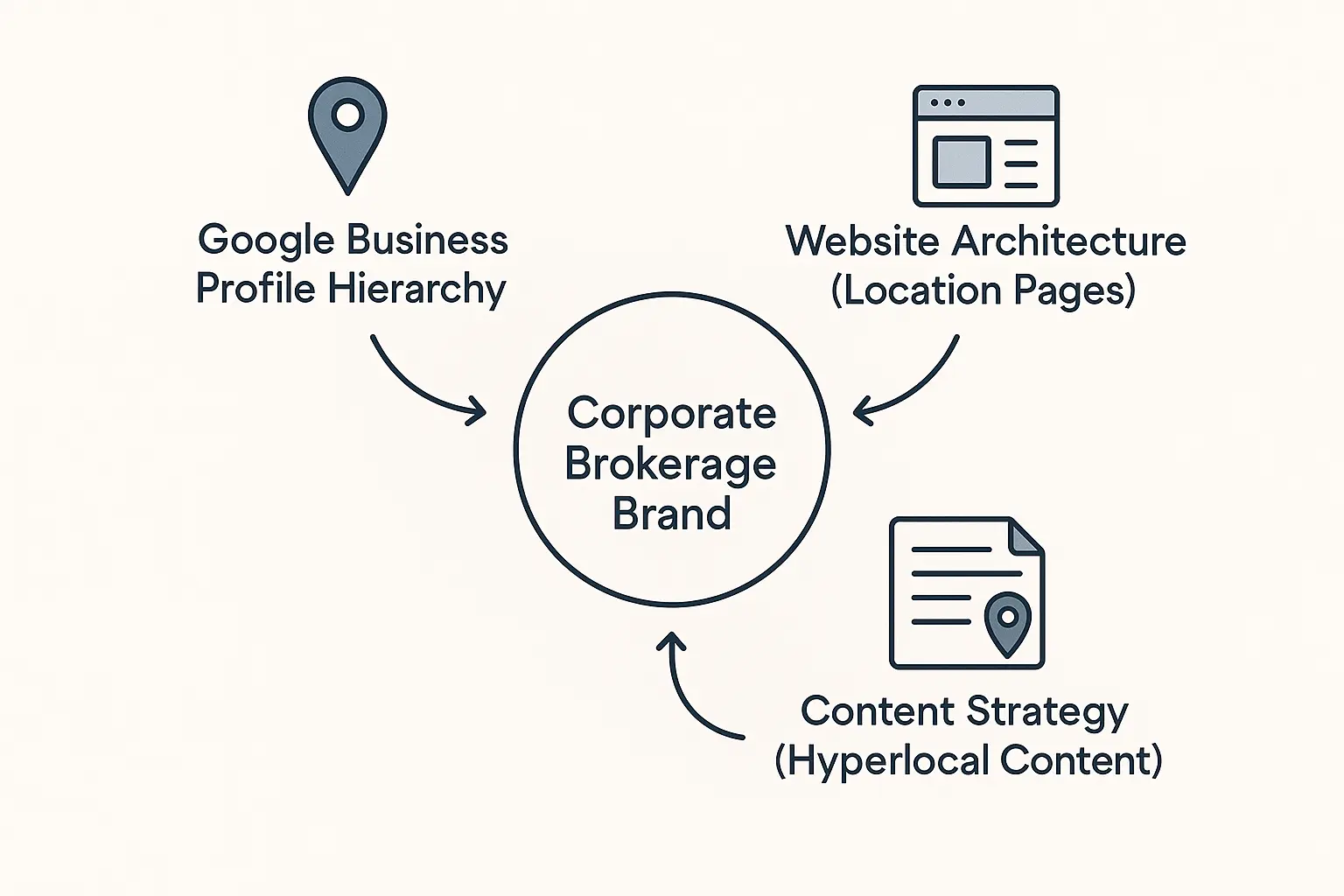
This structure tells Google, “We are one unified brand with distinct, legitimate local presences.” It organizes your digital footprint and prevents the search engine from getting confused about which office serves which area.
Pillar 2: The Silent Ranking Killer – Keyword Cannibalization
Now that your GBPs are in order, we need to address the website. This is where the most common and damaging mistake occurs: keyword cannibalization.
Ahrefs defines keyword cannibalization as a situation where multiple pages on your website compete for the same keyword, confusing search engines and diluting your authority.
Imagine two of your own agents trying to win the same listing. They end up splitting the commission and weakening their negotiating power. That’s what your location pages are doing when they all try to rank for a broad term like “Texas real estate brokerage.”
This issue can undermine even the best marketing teams. A HubSpot report noted that 61% of marketers say improving SEO and growing their organic presence is their top priority. But without solving cannibalization, that growth will always be capped.
The solution is to assign clear, distinct jobs to each page on your site:
- Homepage/Main Pages: Target broad, brand-level keywords. Examples: “Texas luxury real estate,” “commercial property brokerage,” “Your Brand Name.”
- Location Pages: Target hyper-local, city-specific keywords. Examples: “real estate agents in Austin,” “homes for sale in Dallas,” “Houston realtor.”

Each location page should be a rich, unique resource for its specific community, featuring:
- The office’s unique NAP information.
- An embedded Google Map of the location.
- Bios of agents who work at that office.
- Testimonials from local clients.
- Content about local market trends or neighborhoods.
Executing this kind of granular, high-quality content strategy across dozens of locations is a significant undertaking. It’s why many successful brands partner with specialized Internal Link 1: white-label SEO services to ensure every location page is a powerful, standalone asset.
Building a Unified Digital Empire
By combining a clean GBP hierarchy with a smart location page strategy, you transform chaos into clarity. Your Austin office GBP now links directly to your Austin location page, which is optimized for “Austin real estate” keywords. At the same time, your parent brand builds overall authority by ranking for broad, statewide terms.
Suddenly, you’re no longer competing with yourself. Each office supports the others, creating a powerful, interconnected network that dominates local search results across your entire service area. This unified approach makes it clear to both Google and your future clients that you are the go-to authority, no matter where they are.
Frequently Asked Questions (FAQ)
Q1: What if our offices are franchises with different owners?
A centralized strategy is even more critical here. You can use GBP’s Location Group to give franchise owners “Site Manager” access to their specific profile. This empowers them to manage local reviews and posts while you maintain central control over core information like the business name and website link, ensuring brand consistency.
Q2: Should each office have its own social media accounts?
This depends on your resources. It can be powerful to have local social media presences (e.g., a Facebook page for the “Dallas Office”), but only if they can be kept active and on-brand. A good starting point is to have a primary brand account and encourage agents at each office to build their personal brands on social media, linking back to their bios on the appropriate location page.
Q3: How do we handle individual agent pages on our website?
Agent pages should live “under” their respective office pages. For example, the URL might look like yourbrokerage.com/locations/dallas/jane-doe. This structure reinforces the geographic hierarchy for search engines and helps Jane Doe rank for searches like “real estate agent Jane Doe Dallas.”
Q4: What’s the difference between a location page and a service area business page?
A location page is for a physical office with an address where you meet clients. A service area page is for a business that travels to its customers (like a plumber). For real estate brokerages with physical offices, you must use location pages and dedicated GBP listings for each address. Don’t try to create “service area” profiles for neighborhoods where you don’t have an office—this violates Google’s guidelines.
From Internal Conflict to Market Dominance
Getting your multi-location SEO strategy right is the difference between a fragmented digital presence and a unified digital empire. It stops the internal fighting and focuses all your marketing power on what actually matters: attracting new clients and closing more deals.
The first step is to audit your current structure. Do you have one GBP for all locations? Are your office pages all targeting the same keywords? Identifying these issues is the first step toward building a stronger, more scalable foundation for growth.
For agencies tasked with untangling this complexity for their clients, understanding the options available through Internal Link 2: SEO outsourcing for agencies can provide the specialized expertise needed to implement these strategies flawlessly, ensuring your clients dominate their local markets.

