

You’ve seen it a dozen times. An agency client’s SEO report looks great—traffic is climbing, keyword rankings are up, and everything is green. But when you ask the client about lead quality, their face falls. “We’re getting more form fills,” they say, “but they’re mostly students looking for templates or job seekers.”
This is the silent killer of SEO ROI: unqualified traffic. It looks good in a report but does nothing for the bottom line.
While the SEO team celebrates ranking number one for “project management software,” the paid search team is desperately adding “free,” “template,” and “jobs” to its negative keyword list to stop wasting ad spend on the exact same searchers.
What if those two teams were talking? What if that list of “bad” keywords from your PPC campaigns was a treasure map for refining your entire SEO content strategy? It is. And it’s one of the most underutilized tactics for creating content that doesn’t just rank, but converts.
The Invisible Wall Between Paid and Organic
In many agencies, paid and organic search teams operate in separate silos. The PPC team lives and dies by conversion rates and cost-per-acquisition, making them ruthless about cutting out irrelevant search terms.
The SEO team, on the other hand, often focuses on broader topical authority, attracting a wide—and sometimes irrelevant—net of searchers in the process.
This disconnect leads to a critical inefficiency: you’re actively paying to avoid a specific audience in one channel while unknowingly attracting them in another.
Industry benchmarks show that websites with high volumes of unqualified traffic often see bounce rates up to 70 percent higher. These aren’t just vanity metrics; they’re signals to Google that your page isn’t satisfying user intent, which can eventually harm the rankings you worked so hard to achieve.
What Are Negative Keywords, Really? A Field Guide to Mismatched Intent
In Google Ads, a negative keyword is a term you tell the platform not to show your ad for. If you sell high-end “leather messenger bags,” you’d add negatives like “cheap,” “free,” and “repair” to avoid paying for clicks from people you can’t serve.
But a negative keyword list isn’t just a pile of junk. It’s a meticulously curated, budget-driven database of user intent that doesn’t align with your business goals. Each entry is a data point telling you, “Someone searching for this is not my customer.”
Think of it this way:
A B2B SaaS company’s negative list might include “jobs,” “career,” “internship,” “course,” “tutorial,” and “template.”
A luxury real estate agent’s list would have “apartments for rent,” “foreclosure,” and “low income.”
An e-commerce store selling new electronics would block “used,” “refurbished,” “repair manual,” and “parts.”
This isn’t just data for the PPC team. It’s a roadmap for creating laser-focused SEO content.

The 3-Step Process for Turning Negative Keywords into SEO Action
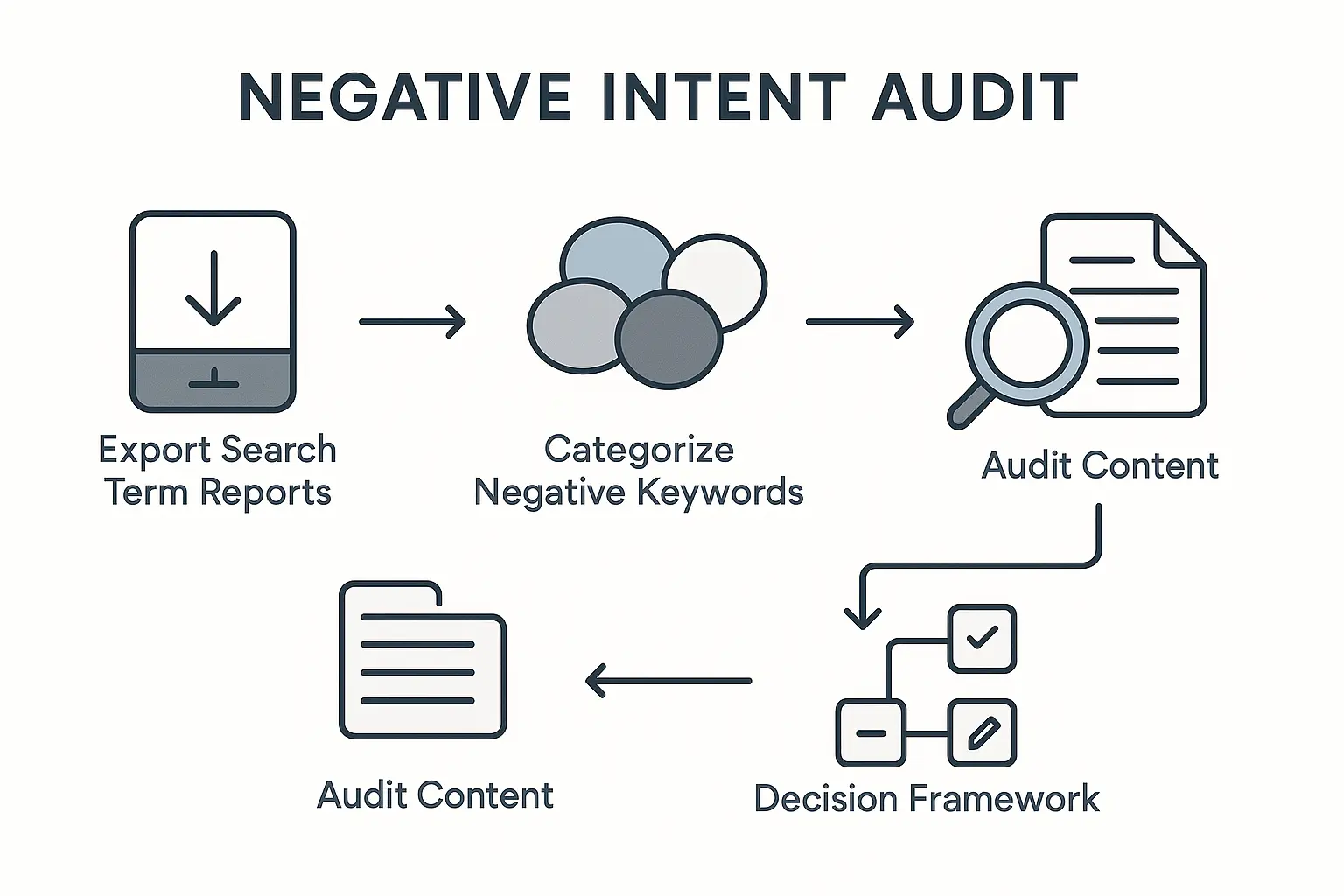
Ready to bridge the gap? Here’s a simple process to transform your Google Ads data into a powerful tool for on-page optimization, content pruning, and strategic planning.
Step 1: Audit and Categorize Your Negative Keyword List
First, get your hands on the account-level or campaign-level negative keyword list from your Google Ads manager. Don’t just look at the raw list; organize it into themes based on user intent.
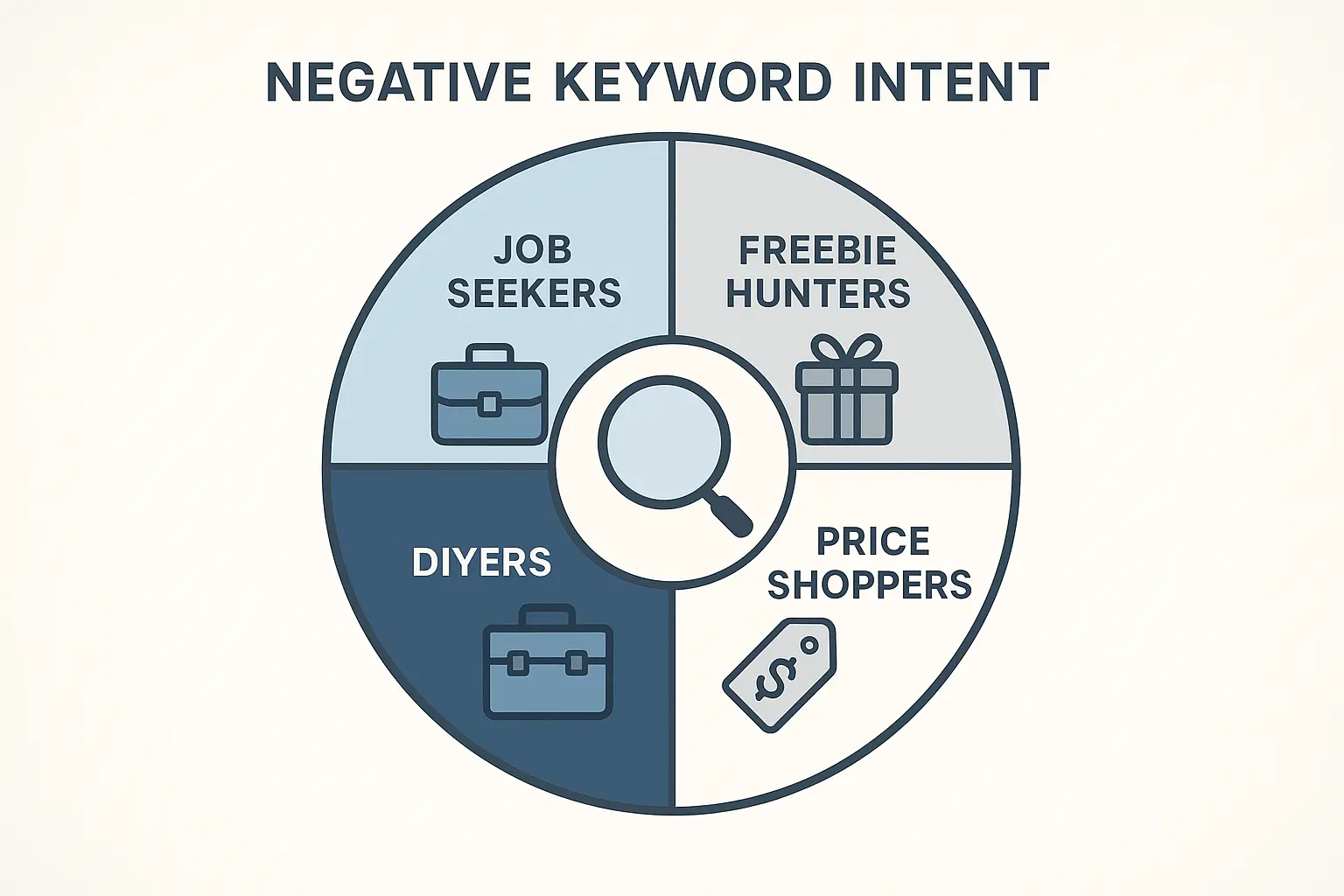
Your categories will likely fall into a few common buckets:
- Job Seeker Intent: Keywords like “jobs,” “careers,” “salary,” “hiring.”
- Informational/DIY Intent: Terms such as “template,” “example,” “how to build,” “free download.”
- Wrong-Fit Customer Intent: Modifiers like “cheap,” “free,” “discount,” “for students.”
- Navigational/Brand Confusion: Names of competitors, old product names, or unrelated brands.
- Support/Existing Customer Intent: Keywords like “login,” “customer service,” “manual,” “troubleshooting.”
This simple act of categorization gives you a clear picture of the audiences you’re actively trying to avoid.
Step 2: Map Negative Themes to Your Existing SEO Content
Now, it’s time to play detective. Use a tool like Google Search Console, Ahrefs, or Semrush to see what keywords your existing blog posts, landing pages, and service pages are ranking for.
Cross-reference your negative keyword themes from Step 1 with your organic keyword performance. Ask yourself:
- Is our “Guide to Financial Planning” blog post ranking for “free financial planning template”?
- Is our main software service page accidentally pulling in traffic for “[Our Software] jobs”?
- Is our pricing page ranking for “[Competitor] pricing”?
This is where the “aha moment” happens. You’ll quickly spot pages that are succeeding in ranking but failing at attracting the right audience. Fixing this disconnect is a cornerstone of an effective omnichannel growth SEO strategy, ensuring every channel works together toward the same business goals.
Step 3: Refine, Prune, or Reposition Your Content
Once you’ve identified the problem pages, you have three clear paths forward:
-
Refine & Optimize: This is the most common and least disruptive option. If a valuable page is attracting the wrong crowd, tweak its on-page SEO to clarify its intent.
- Add qualifying modifiers: Change your titles and headers to be more specific. For example, shift “Our Guide to Project Management” to “Our Guide to Project Management for Enterprise Teams.”
- Adjust your intro: Add a sentence at the top of your article like, “This guide is for business leaders looking to implement a new software solution, not for those seeking free templates.”
- Optimize meta descriptions: Ensure the snippet in Google search results clearly states who the content is for.
-
Prune & Consolidate: Sometimes, a piece of content is simply unsalvageable. If a blog post gets 95% of its traffic from “free [topic] template” and has no conversions, it might be doing more harm than good. Pruning low-value content frees up Google’s crawl budget for your most important pages and strengthens your site’s overall topical authority. Consider a 301 redirect to a more relevant page or, in rare cases, removing it entirely.
-
Reposition & Capture: Could a problem actually be an opportunity? If you’re constantly getting traffic for “free templates,” maybe you should create a simple template and offer it as a lead magnet. This turns irrelevant traffic into a top-of-funnel conversion point, capturing an audience you can nurture over time.
The Long-Term Benefits: A Flywheel of Quality
This process is more than just a one-time cleanup. Integrating paid search data into your SEO strategy creates a powerful feedback loop with lasting benefits:
- Improved Lead Quality: Your sales team will thank you when they stop sifting through unqualified leads.
- Higher Engagement Metrics: By better matching intent, you’ll see lower bounce rates and higher time-on-page—all strong, positive signals for search engines.
- Better ROI on Content Creation: You can confidently invest in content knowing it will attract the right audience.
- True Channel Synergy: It breaks down silos, forcing paid and organic teams to align on the most valuable user intent for the business.
Scaling this kind of sophisticated analysis across multiple clients can be a challenge, but it’s where the future of SEO is heading. To do this effectively, many agencies are turning to AI-powered SEO automation to handle the data analysis, freeing up strategists to focus on high-impact decisions.
Frequently Asked Questions (FAQ)
What if we don’t run Google Ads for a client?
You can still apply the same logic. Use Google Search Console to find queries with high impressions but low clicks, as these often represent a mismatch in intent. You can also analyze “People Also Ask” and competitor rankings for the keywords you do want to rank for to spot potential intent mismatches.
Will removing keywords from my content hurt my SEO?
Not if it’s done strategically. This isn’t about deleting keywords for the sake of it. It’s about refining the language on your page to more accurately reflect the value you offer. Replacing a generic phrase like “best solution” with a specific one like “best enterprise solution” doesn’t hurt you; it helps Google send you more qualified traffic.
How often should we do this analysis?
A quarterly audit is a great starting point. It’s also a good idea to run this analysis after any major change in business direction or a large-scale PPC campaign, which will give you a fresh batch of negative keyword data to work with.
Does this apply to e-commerce SEO?
Absolutely. An e-commerce site selling new, high-end products can analyze its negative keywords (“used,” “discount,” “parts,” “reviews”) to ensure its product and category page copy speaks directly to buyers, not to researchers or bargain hunters.
From Unqualified Traffic to Unmatched Strategy
Your negative keyword list is one of the most honest, unfiltered sources of audience data you have. It’s a direct reflection of what people are searching for that isn’t a good fit for your business. By ignoring it, you’re letting your SEO strategy fly blind.
Start treating that list not as a graveyard for wasted ad spend, but as a goldmine for building a smarter, more profitable content engine.
If you’re an agency looking to implement sophisticated, data-driven strategies like this but lack the in-house bandwidth, exploring white-label SEO services can provide the expert execution needed to deliver next-level results for your clients.
