
“The traffic is up, and we’re getting more leads. But how do we know this is actually making us money?”
If you run an agency, you’ve heard this question. It’s the conversation that separates a vendor from a partner. While you’re celebrating a 50% jump in organic traffic, your client is looking at their balance sheet, trying to connect the dots between your SEO report and their revenue goals.
And they have a point. When only 35% of marketers feel they can confidently measure the ROI of their campaigns, simply showing a list of keywords and traffic graphs is no longer enough. The real challenge—and the biggest opportunity—is to draw a direct line from a Google search to a signed contract.
This guide shows you how to draw that line. We’ll break down the process of connecting your client’s HubSpot CRM data with Google Analytics 4 (GA4) to move beyond tracking leads and start proving SEO-sourced revenue.
The Problem: The Attribution Black Hole
For most agencies, the customer journey looks something like this: a user finds a client’s blog post via organic search, clicks around the site, fills out a “Contact Us” form, and enters HubSpot as a new lead.
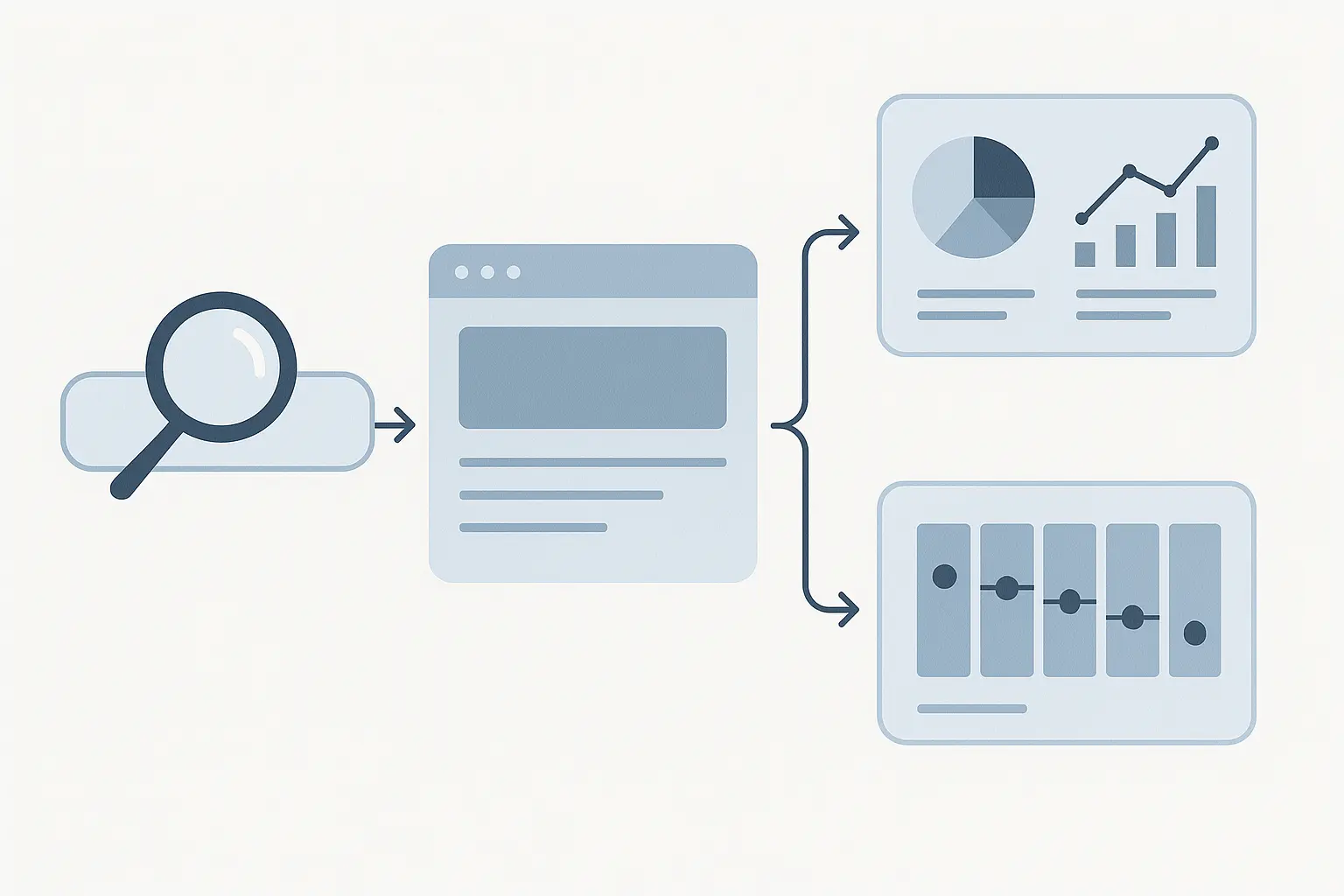
In GA4, you see the session, the conversion event, and the organic source. Success!
But then, the data trail goes cold.
What happens next takes place entirely within the CRM. The lead is qualified by sales, nurtured over weeks or months, and eventually, the deal is marked “Closed-Won.” This critical final step—the revenue—is completely invisible to the marketing analytics that sourced the lead in the first place.
This is the attribution black hole.
This disconnect is more than just an inconvenience; it masks the true value of your work. After all, Gartner research reveals that the average B2B buying journey involves 6 to 10 decision-makers, with sales cycles averaging 5.6 months. The initial organic touchpoint is often the most important, but its impact is lost long before the deal closes.
Without connecting these two systems, you’re forced to report on proxy metrics like traffic and leads instead of the one metric your clients truly care about: revenue.
The Solution: Creating a Single Source of Truth
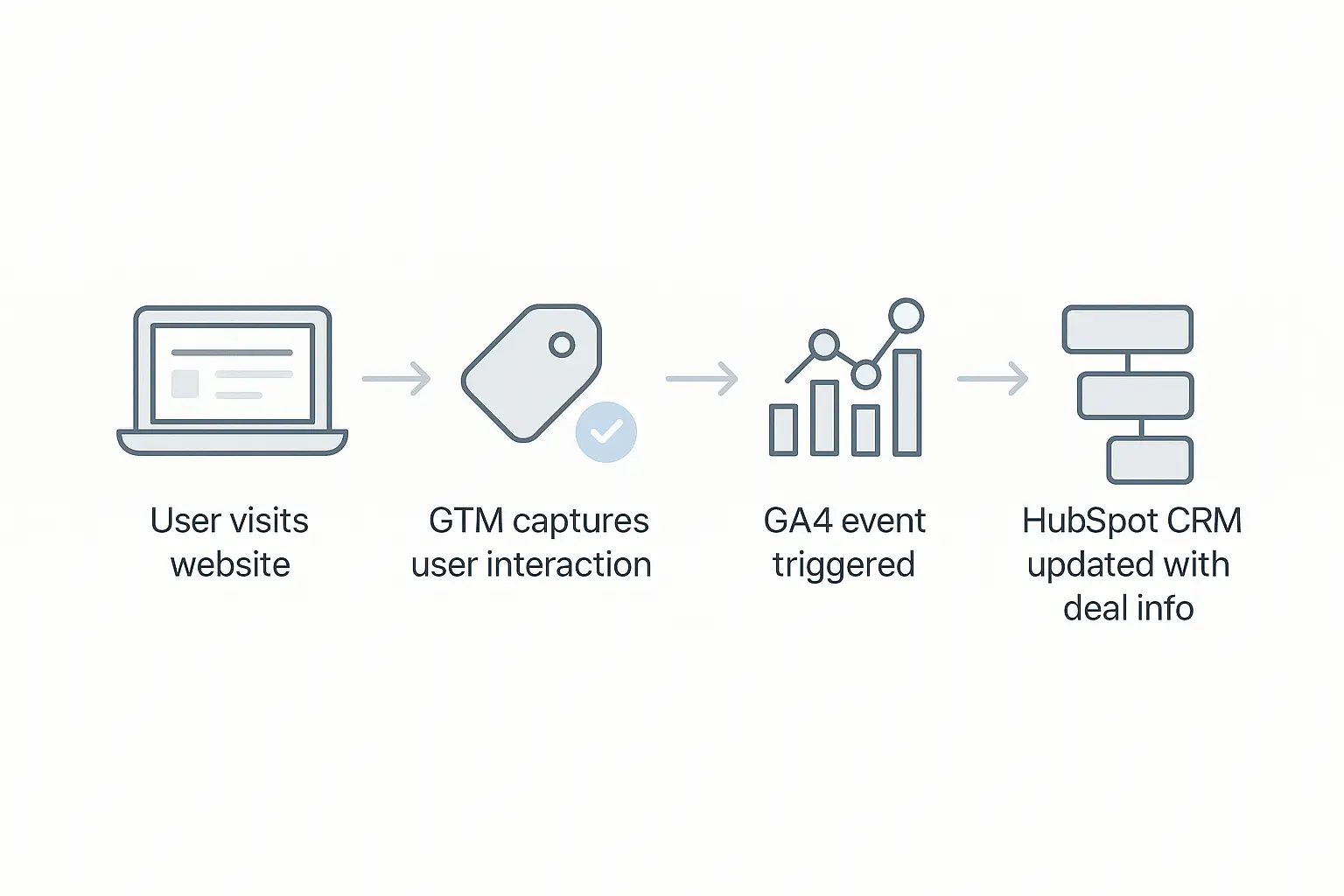
To prove SEO’s ROI, we need to build a bridge between the marketing world (GA4) and the sales world (HubSpot). We do this by sending deal information from HubSpot back into GA4, linking revenue directly to the original user and their session data.
The secret to building this bridge is a unique identifier that both systems can understand: the GA4 Client ID.
Think of the Client ID as a unique nametag GA4 gives to every browser. By capturing this ID when a lead fills out a form and storing it in HubSpot, we create a key that can later unlock the entire user journey.
Here’s a high-level look at how to make it happen.
Step 1: Capture the GA4 Client ID in HubSpot
First, you need to grab the user’s Client ID from their browser and pass it into HubSpot along with their other form submission details.
- Create a Custom Property in HubSpot: In your HubSpot account, create a new single-line text contact property. Name it something clear, like “GA4 Client ID.”
- Add a Hidden Field to Your Forms: Add this new property as a hidden field to every form on your client’s website.
- Use a Script to Populate the Field: You’ll need a small piece of JavaScript that runs on your site. This script finds the user’s GA4 Client ID from their browser cookie and automatically populates the hidden form field before submission.
Now, every time a new lead is created in HubSpot from a web form, it will arrive with its unique GA4 “nametag” attached.
Step 2: Send Deal Data from HubSpot to GA4
This is where the magic happens. Once a deal associated with that contact is updated in HubSpot (e.g., moved to “Closed-Won”), you need to send that information back to GA4.
We do this using the Google Analytics Measurement Protocol.
The Measurement Protocol is essentially a special API that lets you send data directly to GA4’s servers from any internet-connected environment—like a CRM.
- Set Up a HubSpot Workflow: Create a deal-based workflow in HubSpot. The trigger should be when a deal’s stage changes to “Closed-Won” AND the associated contact has a known “GA4 Client ID.”
- Create a Webhook Action: The action in this workflow will be to trigger a webhook. A webhook is just an automated message sent from one app to another.
- Format the Measurement Protocol Hit: This is the most technical part. The webhook needs to send a carefully formatted payload to GA4. It must include:
clientid: The “GA4 Client ID” you stored on the contact record. This is how GA4 knows which user this event belongs to. eventname: A custom event name, like dealclosedwon.
value: The dollar amount of the deal.
currency: The currency of the deal (e.g., “USD”).
When a salesperson closes a deal in HubSpot, this workflow will automatically fire, sending the revenue data straight to GA4 and attaching it to the user who first came to the site from a Google search months ago.
Step 3: Visualize the SEO-Sourced Revenue
With this connection established, the attribution black hole is closed. You can now build reports and dashboards in GA4 or Looker Studio that directly answer your client’s toughest questions.
You can show them:
- Which specific blog posts or landing pages generated the most revenue.
- The total value of closed-won deals sourced from organic search last quarter.
- The average deal size for leads that came from SEO versus other channels.
This transforms your reporting. Instead of just showing rankings, you can present a dashboard that ties your white-label SEO reporting directly to the bottom line. You’re no longer talking about marketing activities; you’re talking about business impact.

Why This Changes the Game for Agencies
Connecting CRM and analytics data isn’t just a technical exercise; it’s a strategic shift that redefines your agency’s value.
- Move from a Cost Center to a Profit Center: When you can prove that every dollar invested in SEO generates five dollars in closed business, your services are no longer seen as an expense. You become an indispensable growth engine.
- Justify Bigger Budgets: It’s much easier to ask for an increased retainer when you can forecast the revenue impact. Data-driven conversations remove subjectivity and build trust.
- Deepen Client Relationships: This level of integration demonstrates a sophisticated understanding of your client’s entire business, not just their website traffic. It solidifies your role as a strategic partner.
With B2B buyers spending only 17% of their time meeting with potential suppliers, the digital journey you manage becomes the most critical part of the sales process. Proving its value is no longer optional. And while the setup requires some technical effort, the payoff is immense, turning complex processes into clear, undeniable results. The strategic use of AI in SEO can even help automate the analysis of this newly connected data, surfacing insights at scale.
Frequently Asked Questions (FAQ)
What if my client doesn’t use HubSpot?
The principle is the same for any modern CRM (like Salesforce, Zoho, or Pipedrive). As long as the CRM can store custom fields and trigger webhooks or has a native integration, you can build this connection. The key is always capturing the GA4 Client ID and using an API or webhook to send data back.
Is this difficult to set up?
It requires a moderate level of technical skill, particularly with JavaScript and understanding how APIs work. If you don’t have a developer on your team, you may want to partner with one for the initial setup. However, once the scripts and workflows are built, the system runs automatically.
What is the Measurement Protocol, in simple terms?
It’s a back door into Google Analytics. Normally, GA4 gets data from a tracking code on a website. The Measurement Protocol lets you send data from other places—like your server or CRM—as if it came from that tracking code. It’s the official, Google-supported way to enrich your analytics data with offline information.
Can I use this to track revenue from other channels, like Google Ads or social media?
Absolutely! The GA4 Client ID is channel-agnostic. The process works the same way for any traffic source. This allows you to build a comprehensive, omnichannel view of which marketing efforts are truly driving revenue for your clients.
Your Path to Proving SEO ROI
Moving beyond vanity metrics is the single most powerful step you can take to elevate your agency. By connecting HubSpot and GA4, you stop reporting on what you did and start reporting on what you achieved.
You provide the clarity that clients crave and build the foundation for long-term, strategic partnerships. This level of insight is what separates agencies that simply provide a service from those that drive measurable growth.
For many firms, developing these advanced capabilities is a significant step. It’s a journey from execution to strategic counsel, often best supported by a partner that understands the agency model. When SEO outsourcing for agencies is approached as an enablement partnership, it provides the technical backbone needed to deliver this sophisticated value under your own brand.
