

Your Ultimate ClickUp Template for White-Label SEO: Manage Agency & Partner Tasks in One View
You check your email and find a question from a client about the status of a technical SEO fix. You fire off a Slack message to your white-label partner and, while you wait, jump into your project management tool to update a different client’s report.
The partner replies, so you copy their update, paste it into an email, and finally send it to the client.
Sound familiar? It’s a scene that plays out in agencies every day. Research from Wrike shows that 40% of workers lose up to an hour per day just switching between apps. For a busy agency, that lost hour isn’t just an inconvenience—it’s a direct hit to profitability and client satisfaction.
When you outsource SEO, you’re trying to gain efficiency, not create a new communication bottleneck. The problem isn’t the partnership; it’s the process. Most agencies manage their white-label partners in a silo, creating two separate worlds: their client-facing work and the partner’s back-end fulfillment.
This guide lays out a new model—and a free ClickUp template—to merge those worlds. We’ll show you how to create a single source of truth that gives you full visibility into your SEO delivery, streamlines communication, and makes your partner feel like a true extension of your team.
The Hidden Cost of a Disconnected Workflow
When your project management system is separate from your partner’s, you introduce friction at every step. This “communication silo” is more than just an annoyance. According to Salesforce, a staggering 86% of employees and executives cite ineffective communication or lack of collaboration as the reason for workplace failures.
In an agency-partner relationship, these failures manifest as:
-
Duplicate Data Entry: Your account manager spends time copying and pasting updates from partner emails into your internal system.
-
Delayed Client Updates: You can’t answer a simple client question without waiting for your partner to respond, making your team look disconnected.
-
No Single Source of Truth: Is the latest update in Slack, email, or Asana? When no one is sure, accountability falters.
-
Onboarding Friction: A new team member has no centralized place to see the full history and status of a client’s SEO program.
The solution isn’t more check-in meetings or longer email chains. It’s building a unified workspace where both internal and partner tasks can coexist, giving you a bird’s-eye view of the entire client lifecycle.
Building Your Unified SEO Workspace in ClickUp
The core idea is simple: create a dedicated space for each client that contains two distinct but connected lists—one for your internal, client-facing tasks and one for the fulfillment tasks handled by your partner.
Here’s how to structure it.
Folder Structure: [Client Name] – SEO Program
Within this client-specific folder, you’ll create two Lists:
-
Agency Hub (Client-Facing): This is your command center for managing the client relationship. Only your internal team members need access to this list. Tasks here include things like Schedule Q3 Strategy Call, Prepare Monthly Performance Report, and Follow Up on Invoice.
-
Partner Hub (Fulfillment): This is the execution engine where your white-label partner works. You’ll invite them to this list as a guest. Tasks here are the core SEO deliverables: Complete Technical Site Audit, Develop Q2 Content Briefs, and Execute Monthly Link Building.
This structure keeps sensitive client communications separate while placing fulfillment tasks right alongside your own.
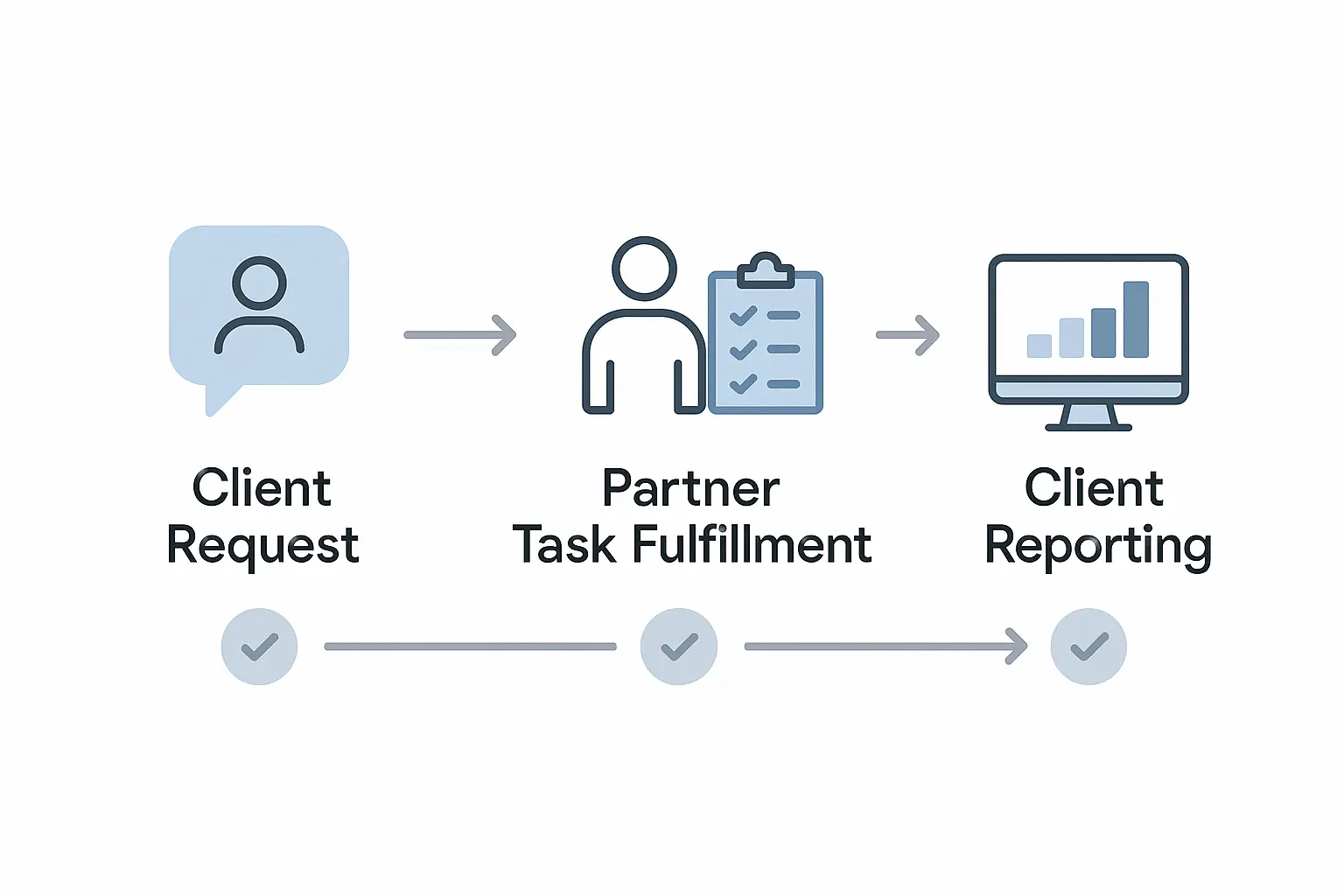
The real power comes from connecting these two hubs. Using ClickUp’s Dependencies feature, you can link tasks across lists. For example, the Prepare Monthly Performance Report task in your Agency Hub can be set to be “waiting on” the Compile End-of-Month Analytics task in the Partner Hub.
Now, your account manager can see the real-time status of fulfillment work without ever having to leave their own dashboard or send a single “just checking in” email.
Key Components of an Effective Workflow
A well-designed workflow does more than track tasks; it creates clarity and accountability. According to a study by Asana, teams who use project management software are 28% more likely to successfully complete their projects. For agencies juggling multiple clients, that’s a massive competitive advantage.
Here are the essential components, all built into our template.
1. Clear Task Ownership and Statuses
Use Custom Fields in ClickUp to eliminate any confusion about who is responsible for what. We recommend two key fields:
-
Owner: A simple dropdown field with two options: Agency or Partner.
-
Task Stage: A custom status pipeline that goes beyond “To Do” and “Complete.” Include stages like Awaiting Agency Approval, In Progress [Partner], and Client Feedback Needed.
This simple setup gives you at-a-glance clarity on where every single task stands and who needs to act next.
2. The Single Source of Truth Dashboard
Your agency leaders don’t have time to dig through individual client projects. A ClickUp Dashboard gives them the 10,000-foot view they need.
Create a master dashboard that pulls in data from all client folders. You can build widgets to visualize critical metrics like:
-
Partner Workload: A bar chart showing tasks assigned to your partner, sorted by client.
-
Overdue Tasks: A simple list of all tasks that are past their due date, across the entire portfolio.
-
Project Timelines: A Gantt chart view to see how all client projects are progressing against their roadmaps.
This dashboard becomes the single source of truth for your agency’s entire SEO operation, turning complex data into actionable insights.
3. Streamlined Communication
The goal is to eliminate reliance on external tools like email and Slack for task-specific communication. Train your team and your partner to live inside ClickUp’s comments.
-
Tagging: Use @mentions to pull the right person into a conversation.
-
Proofing: Have your partner upload deliverables (like content briefs or audit reports) directly to the task for your team to annotate and approve.
-
History: All communication is tied directly to the task it relates to, creating a permanent, searchable record.
Beyond the Template: Choosing a Partner Who Works With You
A template is a powerful tool, but it only works if you have a partner who is willing and able to integrate into your workflow. The most sophisticated system in the world will fail if your partner insists on communicating exclusively through email.
When evaluating a partner, ask them directly about their process integration:
-
Are you willing to work within our project management system?
-
What is your standard procedure for providing progress updates?
-
How do you ensure your team feels like an extension of ours?
A good partner understands that their job is to make your life easier. That means adapting to your systems, providing proactive communication, and operating with the transparency you need to manage your clients effectively.
Ready to stop chasing updates and start streamlining your SEO delivery?
Download Your Free ClickUp Template for White-Label SEO
Frequently Asked Questions (FAQ)
Can I use these principles with other tools like Asana, Trello, or Monday.com?
Absolutely. While our pre-built template is for ClickUp, the underlying “Unified Workspace” model—separating client-facing and fulfillment tasks while linking them—can be replicated in any modern project management tool that supports guest access and task dependencies.
What if my current SEO partner refuses to use my project management tool?
This is often a sign of a rigid, one-size-fits-all process. A true partner should be flexible and willing to adapt to the systems that make their clients successful. If they are unwilling to integrate, it may be worth considering if their operational model aligns with your agency’s goals for efficiency and transparency.
How much access should I give my white-label partner in ClickUp?
The beauty of this system is that you can grant them “Guest” access to only the “Partner Hub (Fulfillment)” list. This allows them to manage their assigned tasks, communicate, and upload files without ever seeing the sensitive client information, strategy notes, or financial details in your “Agency Hub” list.
Is this setup scalable as we add more clients?
Yes, it’s designed for scale. Once you’ve perfected your template folder, you can save it as a ClickUp Template. When you sign a new client, you can deploy the entire folder structure—including all lists, custom fields, and task templates—in just a few clicks.
From Managing Vendors to Building Partnerships
Shifting from a siloed workflow to a unified one is more than an operational tweak—it’s a change in mindset. It means treating your fulfillment partner not as a distant vendor, but as an integrated part of your delivery team working toward the same goal: driving incredible results for your clients.
When your systems and partners are perfectly aligned, you unlock new levels of efficiency and scalability. You reduce administrative overhead, empower your team with real-time information, and build the operational foundation needed to grow your agency profitably.
