

How to Automate White-Label Client Reports with Looker Studio & Supermetrics
Let’s play a quick game. Think about the first Monday of the month. Does the thought of client reporting fill you with a sense of strategic satisfaction or a creeping sense of dread?
If you’re like most agency professionals, you’re probably leaning toward dread. You know reporting is non-negotiable for proving your value, yet the process itself is often a time-consuming grind of logging into a dozen platforms, screenshotting dashboards, and wrestling with spreadsheets.
What if that entire process could be automated? What if you could build beautiful, branded, client-facing dashboards that update themselves in real time, freeing up your team to focus on what actually moves the needle?
It’s not a fantasy—it’s what happens when you combine the power of Looker Studio and Supermetrics.
The Agency Reporting Paradox: Why Your Most Important Task Is Also Your Biggest Time Sink
Client reporting is the bedrock of retention. It’s how you demonstrate ROI, build trust, and turn a service into a partnership. In fact, research shows that nearly 90% of agencies believe that better reporting directly improves client retention.
But here’s the paradox: the process is often a productivity killer.
A recent study by Supermetrics and AgencyAnalytics revealed a startling statistic: on average, agency professionals spend 11.2 hours per week—or over 550 hours per year—on client reporting alone. That’s nearly one and a half full workdays every single week spent on a manual, repetitive task.
Think about the opportunity cost. That’s time you aren’t spending on:
- Developing creative new strategies for clients
- Optimizing high-stakes campaigns
- Training your team or working on new business
The manual grind of pulling data from Google Analytics, Google Ads, LinkedIn, Facebook, and various SEO tools creates a bottleneck that limits how many clients your agency can effectively serve.
From Manual Grind to Automated Flow: Introducing Your New Reporting Stack
To escape the reporting hamster wheel, you don’t need a bigger team; you need a smarter system. The combination of Looker Studio and Supermetrics provides an elegant, scalable solution.
What is Looker Studio (Formerly Google Data Studio)?
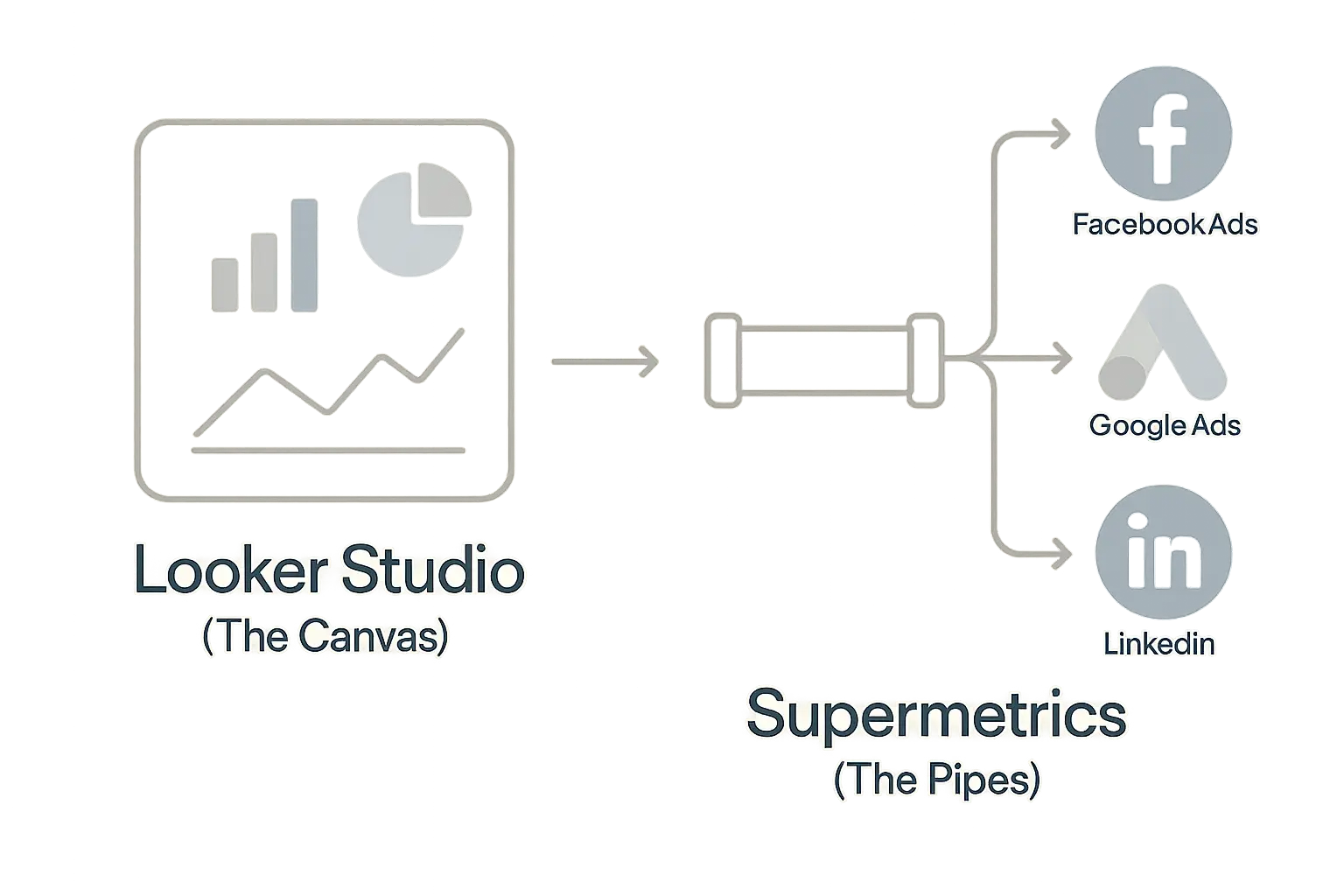
Think of Looker Studio as your free, powerful, and infinitely customizable canvas. It’s a data visualization tool from Google that lets you build interactive dashboards and reports. You can add charts, graphs, tables, and text, and—most importantly for agencies—brand it completely with your client’s logo and color scheme. It’s the beautiful frame for your data.
What is Supermetrics?
If Looker Studio is the canvas, Supermetrics is the magic pipeline that delivers the paint. It’s a connector tool that automatically pulls data from over 100 different marketing platforms directly into your Looker Studio dashboard. No more copy-pasting, no more CSV downloads, and no more outdated screenshots.
The Power Duo: How They Work Together
Imagine your car’s dashboard. It shows you speed, fuel level, and engine temperature all in one convenient place. You don’t have to get out and manually check the engine or dip a stick in the gas tank.
In this analogy, Looker Studio is the car’s dashboard, and Supermetrics is the complex wiring under the hood connecting all the sensors (your marketing platforms) to the gauges. It brings all the critical information together, automatically keeps it updated, and presents it in an easy-to-understand format.
Building Your First Automated White-Label Report: A Step-by-Step Guide
The best part about this system is that it’s built for marketers and agency pros, not developers. Here’s a high-level look at how simple it is to get started.
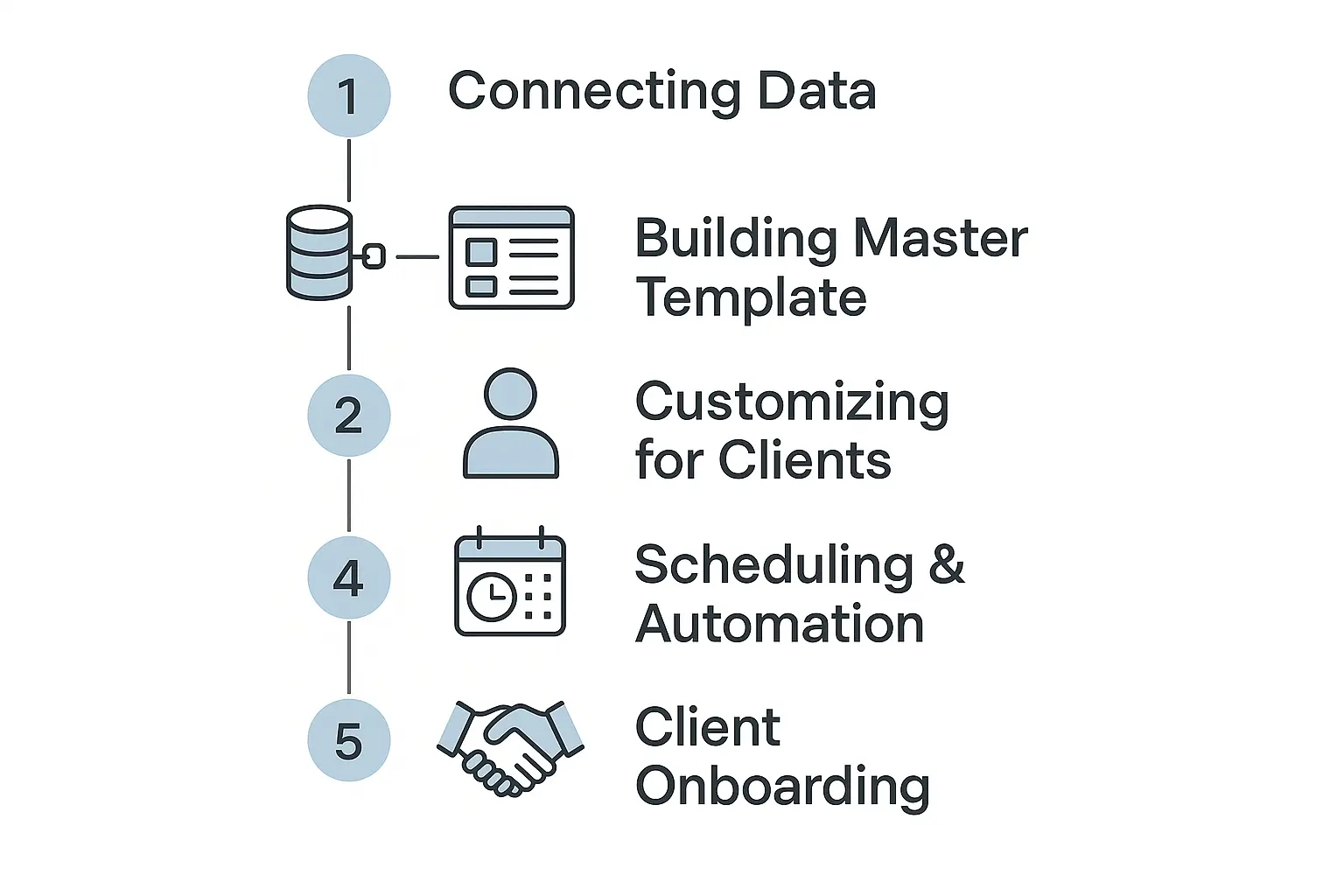
Step 1: Connect Your Data Sources with Supermetrics
First, you’ll connect all your client’s marketing accounts within the Supermetrics platform. This is a straightforward authentication process—you just log in to Google Analytics, Facebook Ads, LinkedIn Ads, SEMrush, and so on, and grant permission. This one-time setup creates the “pipes” for your data to flow through.
Step 2: Choose Your Canvas in Looker Studio
Next, open Looker Studio and decide whether you want to start with a blank report or use a pre-built template. Supermetrics offers a gallery of templates designed for specific needs (like a PPC overview or an SEO performance report), which can save you hours of setup.
Step 3: Pull Data into Your Dashboard
This is where the magic happens. Inside Looker Studio, you’ll add a new data source and select the Supermetrics connector. From there, you can choose which platform you want to pull from (e.g., Google Ads) and select the specific metrics (Clicks, Cost, Conversions) and dimensions (Campaign, Ad Group, Date) you want to display.
Step 4: Visualize and Brand Your Report
Now you get to be the artist. Drag and drop your data into charts, scorecards, and tables. Add your client’s logo, change the color palette to match their brand guide, and add text boxes to provide context and explain what the data means. This is how you create professional, custom white label seo reports that look as though they were built from scratch by your in-house team.
The Real-World Impact: What Happens When Reporting Is Automated?
Automating your reporting isn’t just about saving time; it’s about fundamentally changing how your agency operates and grows.
Reclaim Your Team’s Time
Remember those 550 hours per year? By automating the data-pulling process, you give that time back to your team. Your best strategists can stop being data entry clerks and start focusing on high-impact analysis and client success.
Scale Your Agency Profitably
Manual reporting puts a hard cap on growth. Every new client adds another layer of reporting complexity and man-hours. An automated system breaks that link. It allows you to onboard new clients seamlessly without proportionally increasing your overhead, which is the key to scaling an agency effectively.
Enhance Client Communication and Trust
Instead of a static PDF sent once a month, you can give clients a link to a live dashboard. This transforms reporting from a reactive, historical document into a proactive, ongoing conversation. It fosters transparency and positions your agency as a true partner invested in their success, all presented through clean white label seo reports that build confidence.
Frequently Asked Questions (FAQ)
Is Looker Studio really free?
Yes, the Looker Studio tool itself is completely free. You only pay for premium data connectors like Supermetrics, which are necessary to automatically pull data from non-Google sources.
How many data sources can I connect with Supermetrics?
Supermetrics connects to over 100 marketing and sales platforms, covering everything from paid social and PPC to SEO, analytics, and CRM.
Is this difficult to set up? Do I need a developer?
Not at all. The entire system is designed for marketers and agency professionals. The interface is intuitive, and the process is no-code. If you can build a presentation in PowerPoint or Google Slides, you can build a dashboard in Looker Studio.
Can I really brand everything with my client’s logo?
Absolutely. You have full control over the look and feel. You can customize colors, fonts, logos, and layouts to create a report that is 100% white-labeled for each client.
How is this different from the native reporting in platforms like Google Ads?
Native reporting tools are siloed. They only show you data from that one platform. An automated dashboard consolidates data from all your channels, giving you and your client a holistic view of performance in one place.

Your Next Step: From Data Overload to Strategic Insight
Stop letting manual reporting dictate your team’s schedule and limit your agency’s potential. By embracing automation with tools like Looker Studio and Supermetrics, you can transform reporting from a costly chore into a scalable, value-driving asset.
This shift doesn’t just make your agency more efficient; it makes you a more valuable partner to your clients. When you’re ready to take that efficiency to the next level, exploring how a white label SEO partner can help implement these systems is a logical step toward building a truly scalable agency.
