

You just landed a new client with a beautiful, lightning-fast website built on React. You run your standard SEO audit, and everything looks perfect. The source code has all the right title tags, meta descriptions, and canonicals. You tell the client they’re in great shape.
A month later, their rankings are in freefall.
You check Google Search Console, and the “Crawled – currently not indexed” report is exploding. What went wrong? You’ve just encountered the silent killer of modern web performance: a JavaScript rendering issue. What you saw in the initial HTML wasn’t what Googlebot saw after running the site’s JavaScript.
This scenario is becoming terrifyingly common for agencies. As more clients adopt Single Page Applications (SPAs) built with frameworks like React, Angular, and Vue, the old ways of auditing websites are no longer enough.
Why Traditional SEO Audits Fail on Modern Websites
Imagine you go to a coffee shop. With a traditional website, you order a latte, and the barista hands you a finished latte. This is like Server-Side Rendering (SSR)—the server delivers a complete, ready-to-view HTML page.
With a modern JavaScript website, you order a latte and the barista hands you an espresso machine, a bag of beans, and a carton of milk. You have to assemble the final product yourself. This is Client-Side Rendering (CSR)—the server sends a lightweight HTML “shell” and a bundle of JavaScript, and your browser has to execute that code to build the final page.
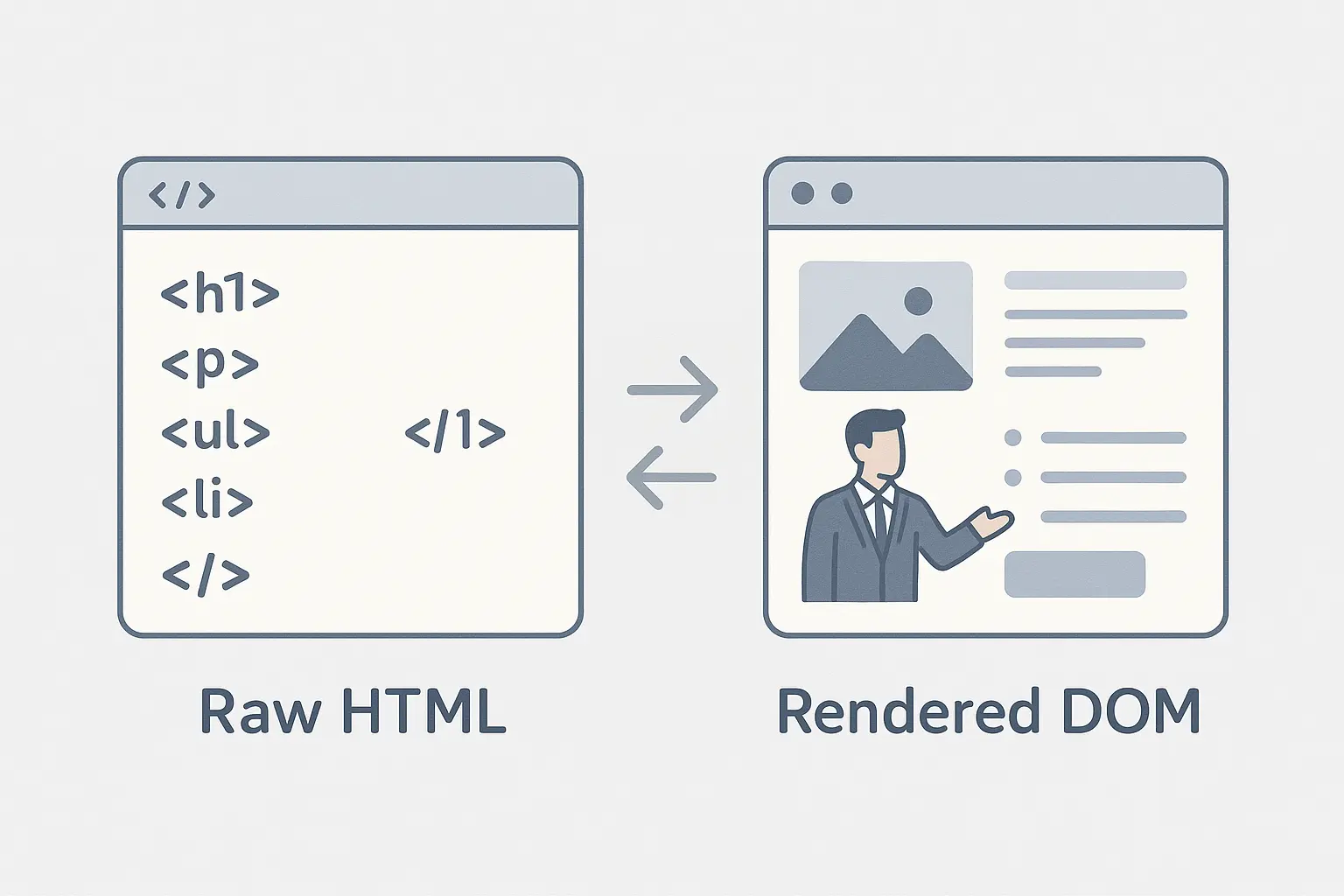
Googlebot has to do the same thing. It first crawls the initial HTML, then has to “render” the page by running the JavaScript to see the final version. This process is often called the “two waves of indexing.” The problem is, this second wave can fail.
And it fails more often than you’d think. Google itself has said that “the rendering of JavaScript-powered websites by Google Search is not a solved problem.” Research from Onely found that crawlers successfully rendered JavaScript frameworks only about 78% of the time. For a business, a 22% failure rate is catastrophic.
The Three Big JavaScript SEO Issues (And How to Find Them)
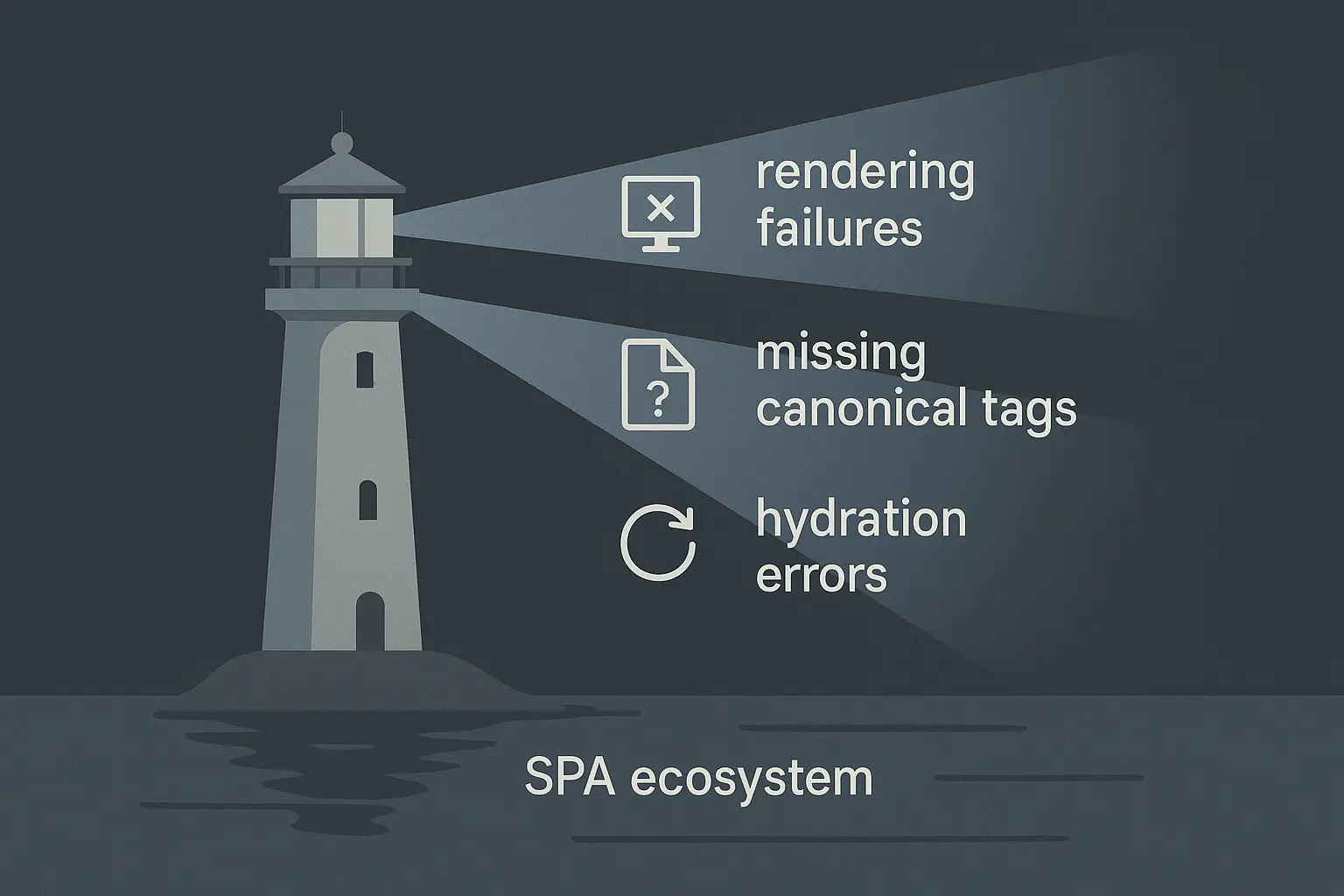
When Googlebot fails to render a page correctly, it’s usually due to one of three culprits. The good news is, you can learn to spot them. Even better, you can automate finding them across all of your clients.
1. Client-Side Rendering Failures
This is the most straightforward problem: the JavaScript simply breaks. It might be a code error, a network timeout while fetching data, or a script that’s just too complex for Google’s web rendering service.
When this happens, Googlebot is left with a blank or incomplete page. It can’t see your client’s content, links, or crucial SEO tags. It just sees an empty shell and concludes the page has no value.
2. Missing or Mismatched SEO Tags in the Rendered DOM
This one is more subtle and devious. The initial HTML might contain a perfectly optimized title tag and a self-referencing link rel=”canonical”. But after the JavaScript runs, it might accidentally remove them or, even worse, change them to something incorrect.
For example, a developer might set up a default canonical tag in the HTML shell that points to the homepage. When a user navigates to a product page, JavaScript is supposed to update that canonical to the product page URL. If that script fails, every single product page on the site tells Google, “Hey, the real version of this page is the homepage.” This sends disastrously mixed signals and can lead to massive indexation problems.
Since Backlinko’s analysis of 11.8 million search results found a direct link between keyword-optimized title tags and higher rankings, you can’t afford to let your rendered titles disappear.
3. Hydration Errors
This is the most technical of the three, but the concept is simple. Imagine you have a blueprint for a house (the server-rendered HTML) and a construction crew (the client-side JavaScript). “Hydration” is the process where the crew comes in and makes the static house interactive—installing plumbing, electricity, and opening the doors.
A hydration error happens when the crew shows up and the house doesn’t match the blueprint. The client-side JavaScript expects the HTML to look a certain way, but it’s different, creating a conflict. The page might look fine visually, but it’s broken under the hood. Links may not work, or content hidden behind tabs might never load. For Googlebot, if it can’t click a tab to see more content, that content effectively doesn’t exist.
From Manual Spot-Checks to Scalable, Automated Audits
So, how do you check for these issues? You could use Google’s Mobile-Friendly Test for a single URL. It shows you a screenshot of the rendered page and the final “rendered DOM”—the HTML after JavaScript has run.
But you can’t do that for a 10,000-page e-commerce site. And you certainly can’t do it every week for 20 different clients. It’s simply not scalable.
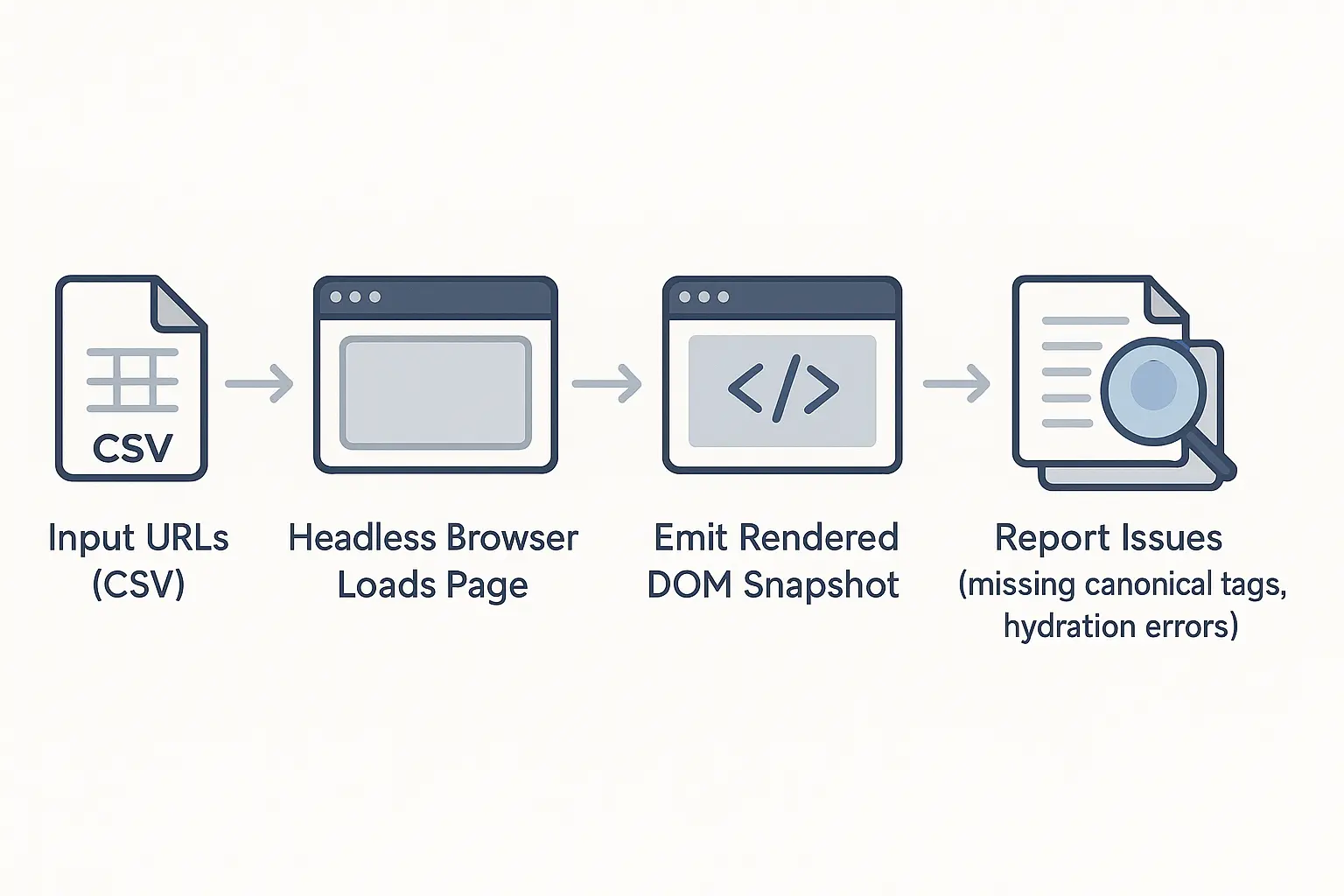
The solution is to automate the process using headless browsers. A headless browser is a web browser without a graphical user interface, controlled through code. You can program it to do exactly what a user (or Googlebot) does:
- Visit a URL.
- Wait for the JavaScript to execute and the page to finish rendering.
- Analyze the final HTML for SEO elements.
- Flag any errors or inconsistencies it finds.
This is how you scale expertise.
A Starter Playbook for Automating JS SEO Audits
While building a fully robust automation platform requires significant development, you can start applying these principles today with existing tools.
Step 1: Configure Your Crawler for JavaScript
The first step is to use a crawler that can render JavaScript. A tool like Screaming Frog has a JavaScript rendering option. When enabled, the crawler doesn’t just read the initial HTML; it uses a built-in headless browser to render each page before analyzing it.
Step 2: Compare the Raw vs. Rendered HTML
The core of a JS SEO audit is comparison. You’ll need to crawl your client’s site twice: once with JavaScript rendering turned OFF, and again with JavaScript rendering turned ON.
Now, compare the outputs. Are there pages where the word count is drastically different? Do the rendered H1 or title tags not match the raw HTML? These discrepancies are your first red flags.
Step 3: Script Your Essential Checks
Focus your automated checks on the most critical elements that can go wrong during rendering. You’ll want to flag any URL where the rendered DOM:
- Is missing a title tag.
- Is missing a meta name=”description” tag.
- Is missing a link rel=”canonical” tag.
- Has a canonical tag pointing to a different URL than the one in the raw HTML.
These checks are the foundation of a comprehensive technical SEO audit for modern websites.
Step 4: Monitor the Browser Console for Errors
When a headless browser renders a page, it can also capture any errors that appear in the JavaScript console—the same place a developer would look for bugs. Automate your system to flag any page that throws critical errors during rendering, as these are often the source of the problem.
The Agency Advantage: Scaling Expertise Without Scaling Headcount
Let’s be realistic: Setting up, running, and maintaining these automated checks across a growing client portfolio is a full-time job requiring a specialized skillset. Most agencies don’t have the resources to build this in-house.
This is where the right partnership becomes a strategic advantage. Instead of losing clients or turning down projects with complex websites, you can leverage a partner who has already built the infrastructure for scalable, automated JS SEO auditing.
A dedicated white-label SEO partner can act as your invisible technical team, running these complex audits behind the scenes. You get the benefit of cutting-edge expertise delivered under your own brand, allowing you to confidently serve any client, no matter how their site is built.
Frequently Asked Questions (FAQ)
What exactly is a Single Page Application (SPA)?
An SPA is a website that loads a single HTML page and then dynamically updates content as the user interacts with it. Instead of loading entirely new pages from the server, it uses JavaScript to rewrite the current page. This creates a faster, more app-like experience for the user but adds a layer of complexity for search engines.
Is JavaScript bad for SEO?
No, not inherently. Google is getting much better at processing it. However, it creates more potential points of failure. SEO-friendly JavaScript is about building your site to be robust and ensuring crawlers can access content easily, a practice known as “graceful degradation.”
How can I quickly check a single page for rendering issues?
The easiest way is to use Google’s Rich Results Test. Enter a URL, and after the test runs, click “View tested page.” You’ll see a screenshot of how Google rendered the page and can view the final HTML code it saw. If the screenshot is blank or the HTML is missing your content, you have a rendering problem.
What’s the difference between Pre-rendering and Server-Side Rendering (SSR)?
Both are solutions to CSR issues. SSR means the server renders the full HTML for each request and sends it to the browser. It’s like the traditional model, but for a JS framework. Pre-rendering means a headless browser visits your pages ahead of time and saves the final HTML as static files. When a crawler visits, you serve it this pre-rendered static version.
Your Next Step in Mastering Modern SEO
The web isn’t going back. JavaScript-driven websites are the future, and the agencies that thrive will be the ones who master their complexities. By moving beyond traditional audits and embracing automated rendering checks, you’re not just solving problems—you’re protecting your clients’ revenue and positioning your agency as a leader.
To scale your SEO services and tackle the technical challenges of the modern web, explore how an expert partnership can provide the automation and specialized knowledge you need to succeed.