Imagine this: you’ve just wrapped up a monthly report for your client, a local plumbing company. Rankings for “emergency plumber near me” are up, and website traffic has hit an all-time high. You’re proud of the results.
But your client studies the report, frowns, and asks the one question that matters most: “This is great, but how many paying customers did we actually get from this?”
If that question sends a shiver down your spine, you’re not alone. For agencies managing local SEO campaigns, especially for service area businesses, the line between a Google Business Profile view and a ringing phone has long been a blurry, untraceable gap.
Clicks and impressions are nice, but they don’t pay your client’s bills. Revenue does. Thankfully, you can bridge this gap. By moving beyond basic metrics and implementing advanced call tracking, you can connect your SEO efforts directly to closed deals and prove your undeniable value.
The Local SEO Black Hole: Why Clicks Aren’t Enough
For businesses like roofers, electricians, and landscapers, a phone call is often the most valuable conversion. Research shows that 88% of consumers who search for a local business on a mobile device either call or visit that business within 24 hours. These are high-intent leads ready to make a decision.
The problem is, standard analytics can’t see what happens after the click.
A user might find your client on Google Maps, click the website link, browse a service page, and then pick up the phone to call the number in the header. To Google Analytics, that’s just a website visit. The phone call itself, the actual lead, vanishes into an attribution black hole.
This blind spot matters. Phone calls convert to revenue 10 to 15 times more frequently than web leads. By not tracking them, you’re leaving the most valuable outcomes of your campaign completely unmeasured.
The Bridge: Understanding Dynamic Number Insertion (DNI)
The technology that closes this gap is call tracking, and its secret weapon is Dynamic Number Insertion (DNI).
Think of it like this: DNI is a smart system that temporarily replaces the main phone number on your client’s website with a unique, trackable one. This new number is shown only to a specific visitor during their session. When they dial it, the call forwards seamlessly to the client’s actual business line, while the tracking software records all the data tied to that specific visitor.
With DNI, you can instantly know:
- The Source: Did the visitor come from an organic search, a Google ad, or a click from their Google Business Profile?
- The Keywords: What search term did they use to find the site?
- The Journey: Which pages did they visit before deciding to call?
This reveals exactly which marketing efforts are making the phone ring.
How to Set Up a Bulletproof Call Tracking System
Getting started is more straightforward than you might think. Here’s a step-by-step approach.
Step 1: Choose Your Call Tracking Platform
You’ll need a third-party call tracking provider. When evaluating your options, look for these key features:
- Dynamic Number Insertion (DNI): This is non-negotiable for source- and keyword-level tracking.
- Google Business Profile (GBP) Integration: The ability to track calls that come directly from a GBP listing is crucial.
- Call Recording and Transcription: Essential for qualifying leads and understanding customer needs.
- CRM Integration: The power to automatically push call data into your client’s CRM (like HubSpot, Salesforce, or Jobber). We’ll get to why this is a game-changer in a moment.
Step 2: Install the Tracking Script
Much like Google Analytics, your call tracking provider will give you a small snippet of JavaScript to add to your client’s website. This script is what detects where visitors are coming from and swaps the phone number dynamically.
Step 3: Configure Your Tracking Sources
In your platform’s dashboard, you’ll define the rules for when to show specific tracking numbers. The most important setting for local SEO is creating a number pool specifically for Google organic traffic.
A helpful tip: To track calls from clicks on your Google Business Profile website link, add UTM parameters to that URL. For example: yourclient.com/?utmsource=google&utmmedium=organic&utm_campaign=gmb. This tells your call tracking software to identify GMB traffic as a distinct source, separating it from general organic search.

Connecting the Dots: From a Call to a Customer with CRM Integration
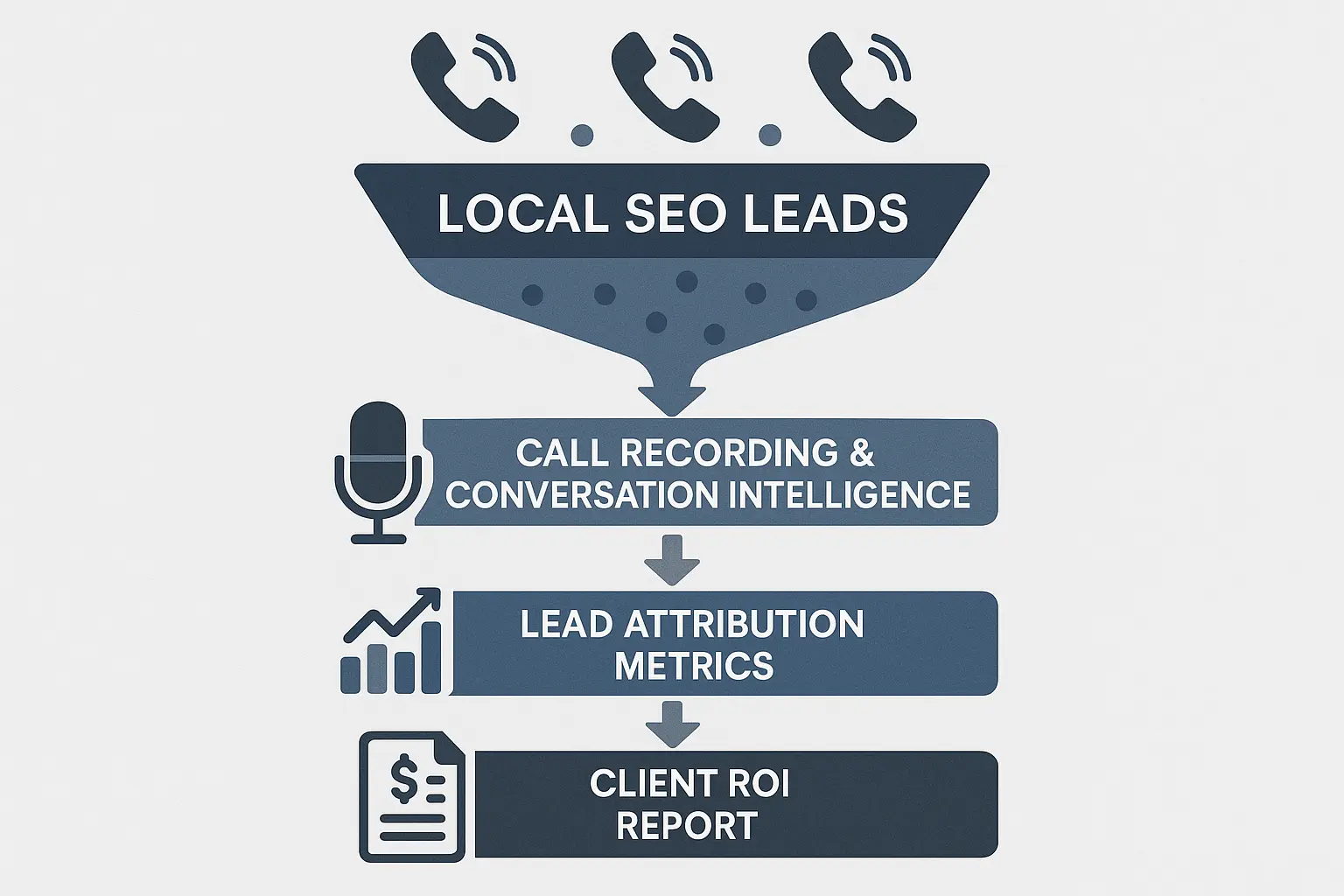
Now for the truly powerful part. Tracking a call is one thing; tracking the revenue from that call is another. This is where CRM integration creates a complete chain of attribution.
Here’s how it works:
- A Lead Calls: A potential customer finds your client on Google, visits the site, and calls the dynamic tracking number.
- Data Pushes to the CRM: The call tracking software instantly sends all the data—source, medium, keyword, call recording—to the client’s CRM, automatically creating a new lead or contact.
- The Client Takes Over: The client’s team follows up, quotes the job, and updates the lead’s status in the CRM as it progresses from “New Lead” to “Quote Sent” to “Job Won.”
- Revenue is Logged: When the deal is won, the client enters the final project value into the CRM.
And just like that, you have a complete, end-to-end view of the customer journey, from the initial Google search all the way to the final invoice.
The Payoff: Reporting on Revenue, Not Just Rankings
With this system in place, your monthly reporting conversations are transformed.
Instead of saying, “We got you 500 more website visitors from Google,” you can now say:
“Our local SEO campaign generated 32 phone calls last month. Of those, 18 were qualified leads, which resulted in 7 new customers and $22,500 in new revenue for your business. The most valuable leads came from searches for ‘emergency roof repair,’ so we’re going to double down on that content.”
This is the level of reporting that makes your agency indispensable. You’re no longer just an SEO provider; you’re a growth partner. This data also empowers you to make smarter decisions, optimizing for keywords and channels that drive real business, not just vanity metrics. As you scale, sophisticated tools leveraging AI can even analyze call transcripts to identify patterns in high-value leads and further refine your strategy.

Frequently Asked Questions (FAQ)
Will using different phone numbers hurt my client’s NAP consistency and local SEO?
This is a common and valid concern. The short answer is no, as long as it’s done correctly. DNI only changes the number visible to users on the website. Your client’s actual business number remains unchanged in the website’s code, your schema markup, and across all citation listings. Search engines still see the consistent, primary number, ensuring your NAP (Name, Address, Phone) consistency remains intact.
Is call tracking software expensive?
Think of it as an investment, not a cost. While there is a monthly fee based on usage, the ROI is typically massive. The cost of tracking a single call is minuscule compared to the value of a closed deal worth thousands of dollars. The ability to prove that value makes this one of the most profitable tools in your stack.
Can I track online form submissions this way, too?
Absolutely. Most call tracking platforms also offer form tracking. By placing a similar script on the site, you can capture the same source, keyword, and session data for every form fill. When integrated with a CRM, this gives you a single, unified view of every lead your SEO efforts generate, whether they call or click.
Your Next Step: From Measurement to Mastery
Shifting from measuring traffic to measuring revenue is the single most powerful change you can make to demonstrate the value of your local SEO services. It builds unshakeable client trust, justifies your retainer, and gives you the data needed to deliver increasingly better results.
Start small. Begin by implementing call tracking for Google organic and GBP traffic. Once you’re comfortable, expand to other channels and integrate with a CRM. By closing the attribution loop, you’ll finally be able to answer the only question that truly matters: “How much business did we get?”
For many growing firms, managing this level of technical setup across dozens of clients can be a challenge. That’s why many turn to a white-label SEO partnership as a way to deliver sophisticated, revenue-focused reporting at scale without the in-house overhead.