
If you run a lean sales team, you know the feeling. You’re stretched thin, juggling dozens of inquiries, and constantly worried that a high-value lead is slipping through the cracks while you’re busy with administrative tasks.
It’s the classic growth paradox: you need more sales to grow, but you don’t have the bandwidth to handle them all.
The scenario below illustrates a sales workflow. It is not an independently verified customer case study, and Emily is a label for the workflow, not a person. The useful question is whether each step has a defined input, a review rule, a responsible person, and a measurable result. A two-person team may be strong at closing deals while still losing time to qualification, scheduling, and reporting. The workflow below shows how to reduce that administrative load without inventing a result.
This is a practical workflow model for a small team. The steps can be tested, measured, and reversed without treating illustrative results as proven business outcomes. The sections below show how a small team can test an AI assistant named Emily without pretending that an illustrative scenario is a proven success story.
The Challenge: Drowning in Opportunity
A common bottleneck is a high number of inquiries entering a process owned by only two people. Their days can become a mix of:
- Manually researching every new lead.
- Responding to repetitive initial questions.
- Trying to keep the CRM updated between calls.
- Losing hours to scheduling and rescheduling demos.
They knew the time spent on low-value tasks meant valuable opportunities—the chance to build relationships and close deals—were being missed. They needed a way to scale their efficiency without scaling their headcount. It’s a common hurdle, one increasingly leading small businesses to turn to AI for marketing and customer communication to level the playing field, a trend confirmed by the U.S. Chamber of Commerce.
Introducing Emily: The Virtual Team Member
In this workflow model, Emily prepares repetitive sales tasks for human review. She can collect approved inputs, draft a reply, propose a priority, update permitted CRM fields, and prepare a handoff. A named person remains responsible for promises, unusual cases, data access, and final decisions.
Do not treat the assistant as a third team member that works without limits. Define working hours, escalation rules, access rights, approval steps, and a manual fallback. The goal is to reduce preparation time while keeping responsibility with the sales team.
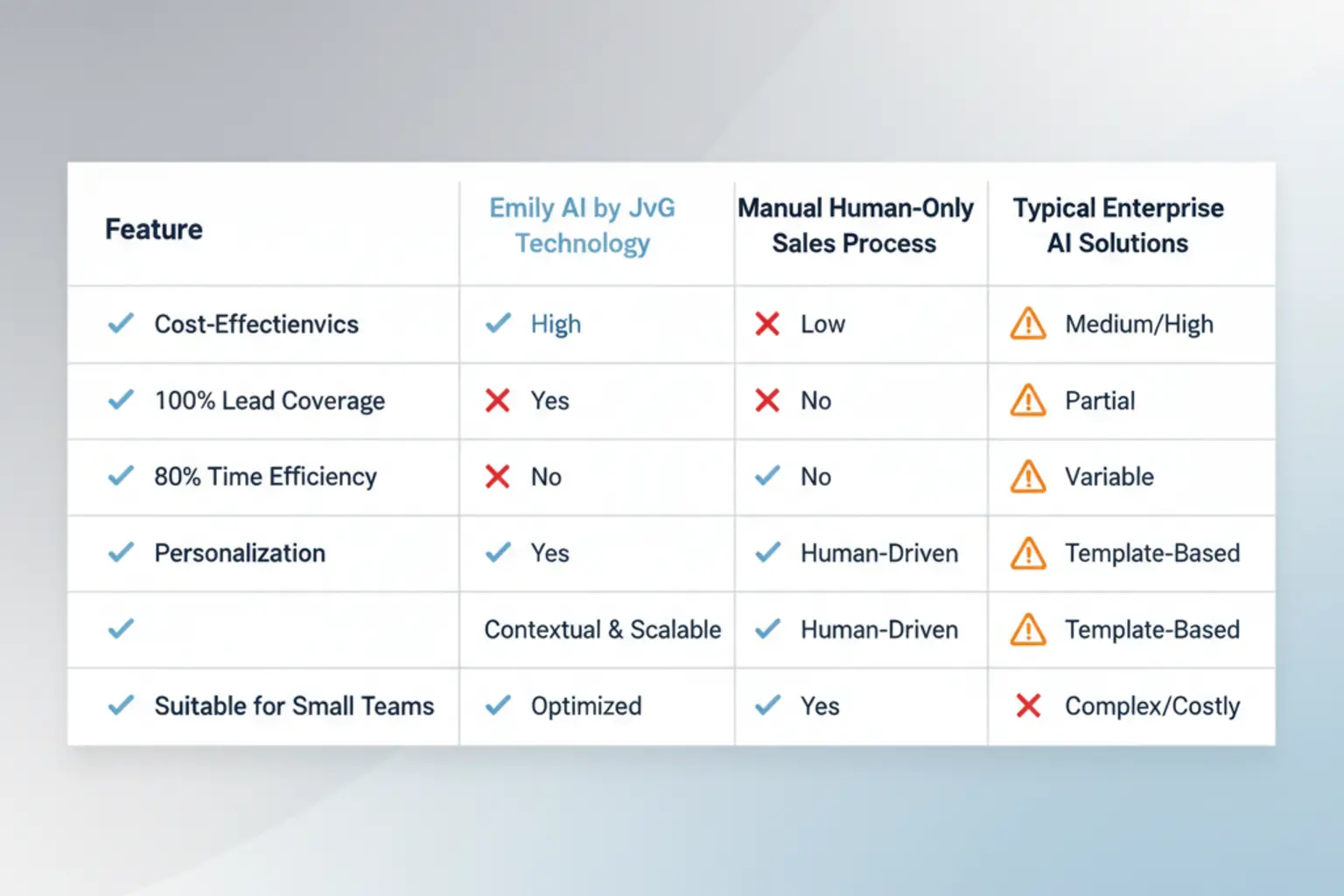
Emily’s Core Responsibilities: From Overwhelmed to Optimized
Emily took over the repetitive, time-consuming tasks that were crippling the team’s productivity. Here’s a look at her daily responsibilities.
Data Analytics & Lead Triage
Before Emily, every lead got the same level of attention. Now, Emily instantly analyzes incoming inquiries against JvG’s ideal customer profile. She automatically triages leads, flagging the hottest prospects for immediate human follow-up while nurturing the rest to ensure complete lead coverage.
Prospect Research & Scoring
Imagine starting your day with a perfectly prioritized list of leads, complete with background information, company details, and potential pain points. Emily does this automatically, scouring the web and social profiles to enrich each lead’s profile and assigning a score so the sales team knows exactly who to call first.
Personalized Client Communication
Emily handles the initial back-and-forth with new leads. Using natural language, she answers common questions, qualifies their interest, and provides relevant information. Her communication is so seamless that clients feel they’re interacting with a sharp, responsive assistant, setting a professional tone from the very first touchpoint.
Executive Reporting & Handoff
When the qualification rule is met, Emily can propose a meeting time and prepare a summary. The workflow should write back the source, request, evidence, owner, next action, and deadline. A person checks the handoff before it becomes a commitment to the prospect.
AI Receptionist & Real-Time Call Management
For calls, the assistant can collect a reason for contact and suggest a route. Test consent, recording, availability, identity, language, emergency, and unclear-request cases before allowing automated routing. Keep a human fallback visible.
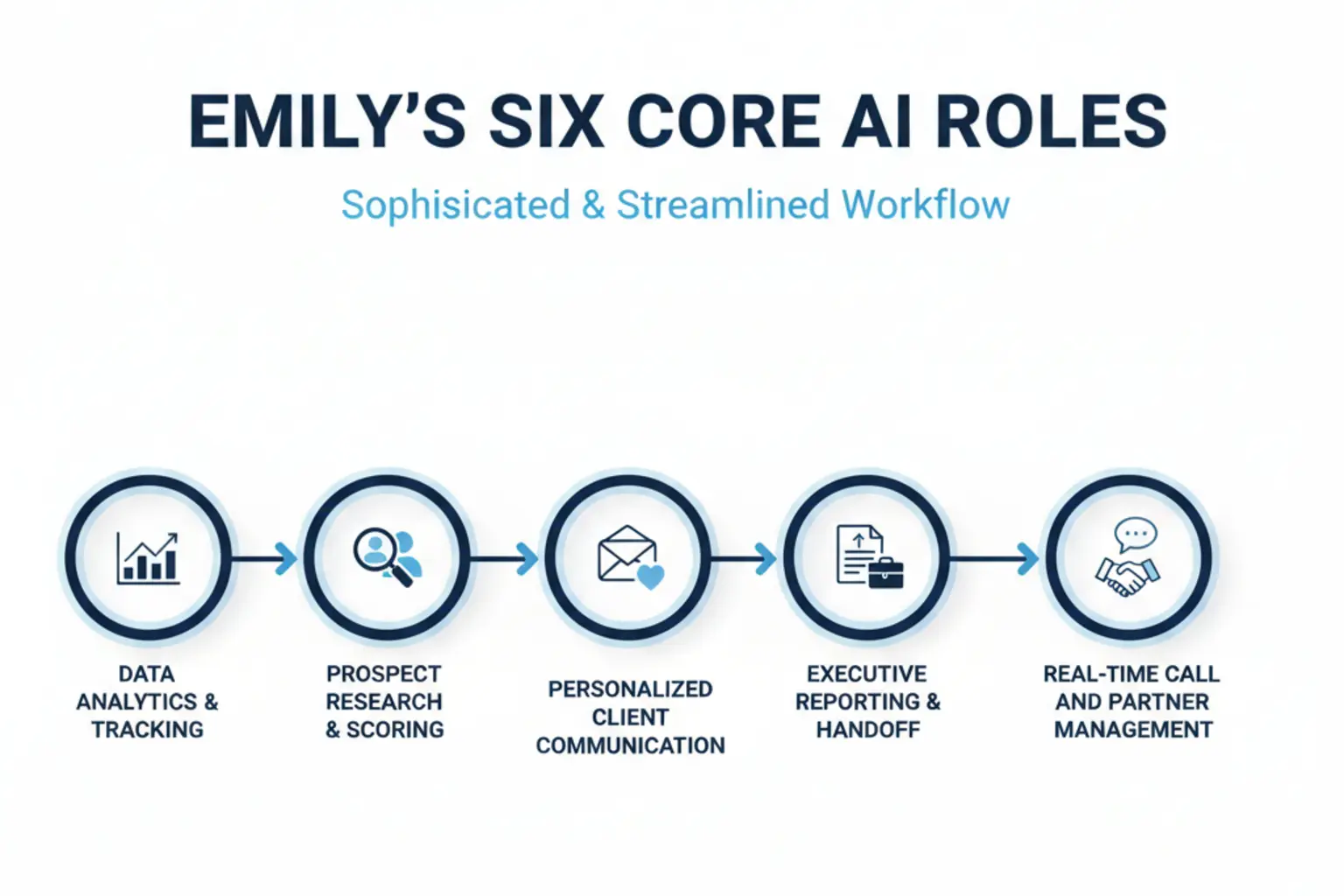
Measure the result before you call it a success
The figures must come from your own baseline and follow-up measurement. Use the three checks below before calling the workflow successful.
- Cost: Compare actual operating cost before and after. Include setup, review time, corrections, and software. Do not claim savings until your own figures support them.
- Time: Measure minutes spent researching, documenting, scheduling, reviewing, and correcting per qualified inquiry against a four-week baseline.
- Coverage: Count inquiries with an owner, next action, and deadline. Automated activity is not the same as a qualified conversation or proposal.
A useful rollout starts with one bounded task. Run ten real cases, read every result back in the CRM and calendar, record exceptions, and keep the manual route available. Expand only after the error rate and time saved are visible in your own data.
Your Team’s Secret Weapon is Here
The workflow does not prove a business result on its own. It gives a small team a testable way to separate preparation from human decisions and measure whether the change is useful.
Automation can improve a bounded process when the existing system, data quality, review time, and exceptions are included in the measurement. Compare it with the current manual process rather than with an imagined competitor.
Ready to test the workflow on one bounded sales task?
Download the workflow outline:
Use the checks in this article as the workflow outline. Before rollout, write down the input, permitted data, expected output, reviewer, exception route, and rollback.
Frequently Asked Questions
1. Will an AI assistant like Emily replace my human sales team?
Not automatically. A useful design keeps relationship building, negotiation, commitments, and unusual cases with people. It assigns only clearly defined preparation or routing steps to the assistant and measures corrections.
2. Is a system like this difficult to set up and integrate?
No. Integration difficulty depends on the programs, data quality, access rights, and exception rules in your business. Start with one existing system and one bounded task. Test with real cases, require human approval, and document the manual fallback before expanding.
3. How is this different from a standard website chatbot?
A website chatbot is one possible interface. A sales workflow may also connect forms, email, CRM, calendars, or phone systems. The meaningful difference is not a label such as proactive. It is whether the workflow has approved data, defined actions, review rules, logging, and a manual fallback.
4. Can an AI assistant adapt to my specific industry and business needs?
It can adapt when it receives approved company knowledge, examples, access rules, and clear review criteria. Keep sensitive data limited to what the task needs, measure factual corrections, and assign a person to every exception. Customization is a controlled operating process, not a one-time training promise.